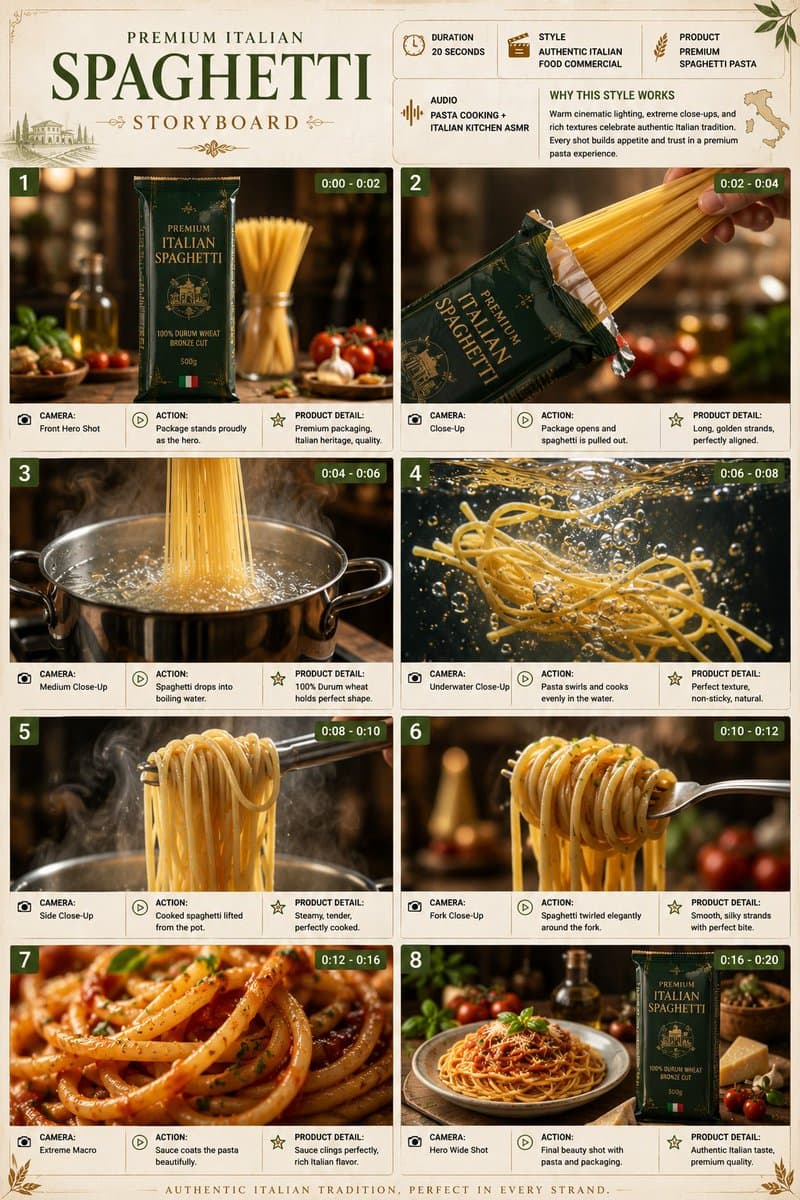
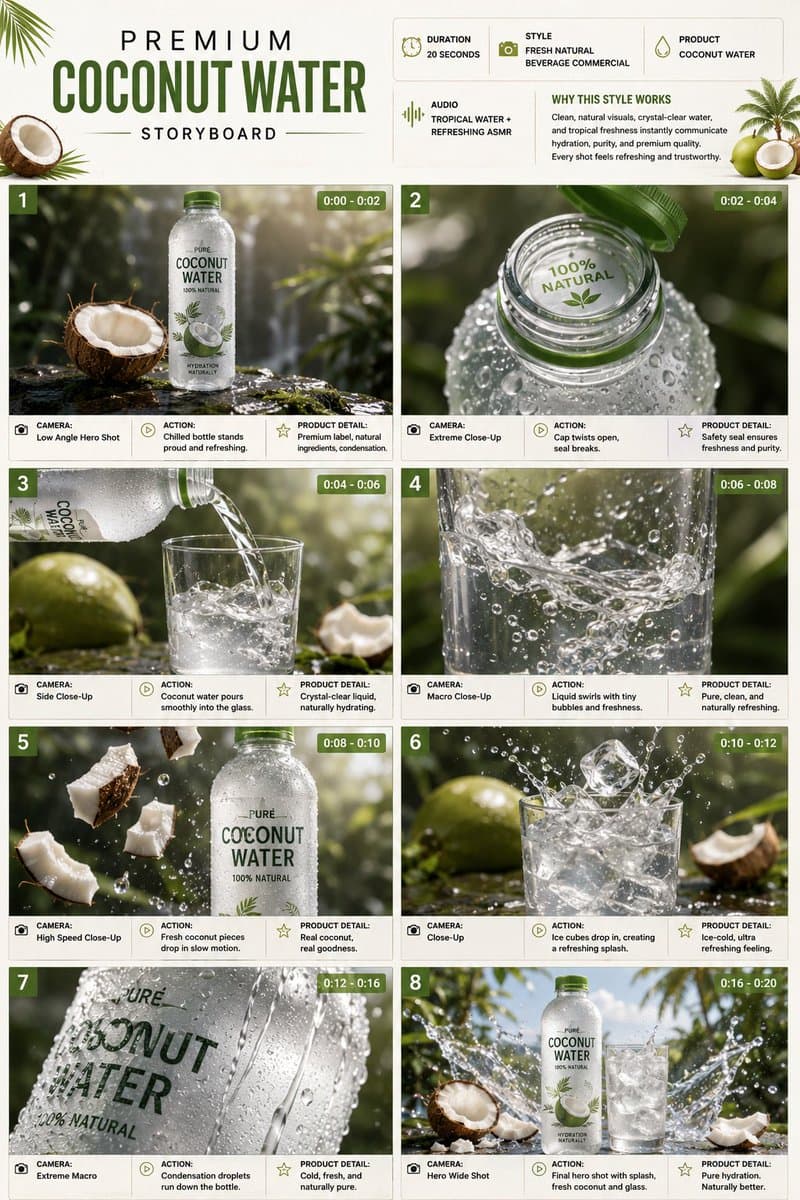
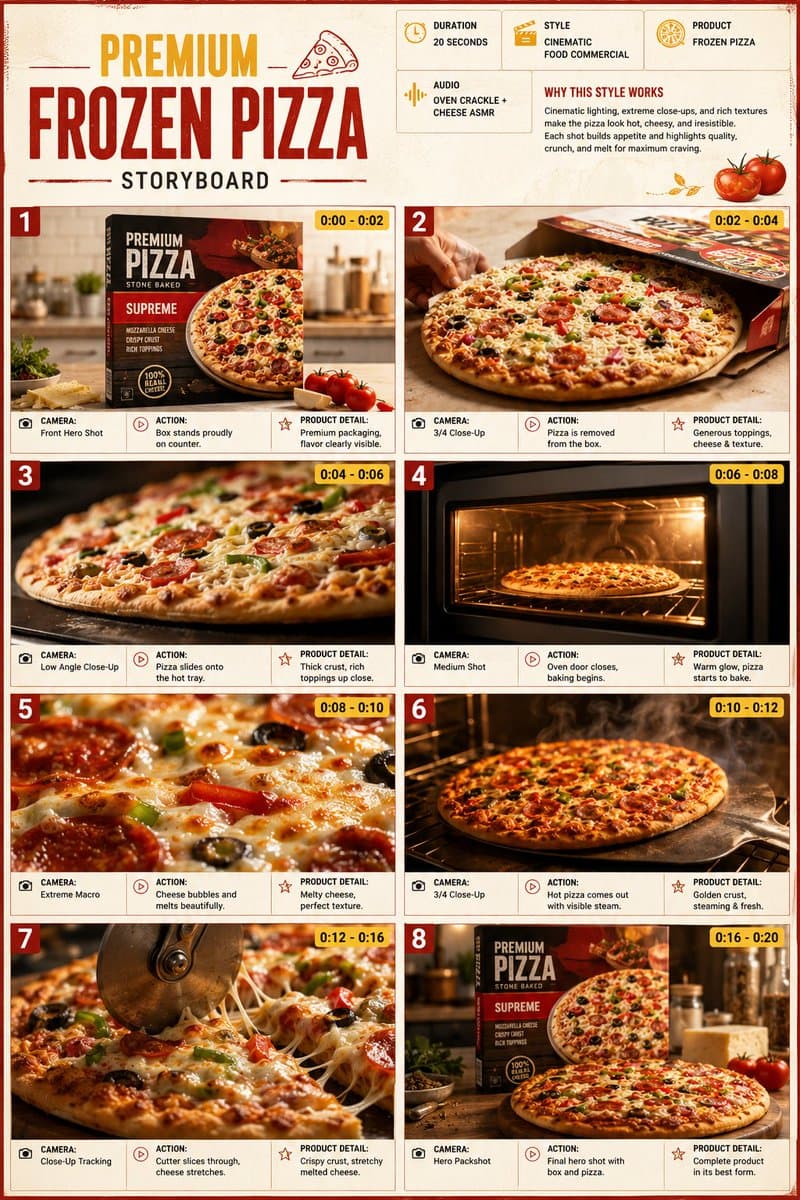
Verified installable Agent Skill
SKILL.md + .skillInstall into your agent.
npx skills add LearnPrompt/goodcaseai --skill product-studio-visual --global --copy --yes --full-depthLoading…
Skill · Shared method
Organize reusable product stills around the object, material, lighting, and commercial setting.
Verified installable Agent Skill
SKILL.md + .skillnpx skills add LearnPrompt/goodcaseai --skill product-studio-visual --global --copy --yes --full-depthMethod skeleton
Creator evidence
Case evidence

A photorealistic SPA-style cosmetic product shot showing three unlabeled bottles placed on a damp acrylic base, suitable for high-end skincare advertising.
Prompt
Create a photorealistic luxury skincare product still life on a 4:3 horizontal canvas. Show exactly 3 unlabeled cosmetic containers standing on a clear acrylic block: 1 tall matte milky-white lotion bottle with a rounded-shoulder shape and translucent white flip cap on the left, 1 transparent pale-blue cylindrical bottle filled with clear liquid and a satin silver cap in the center, and 1 pale lavender-pink pump bottle with a white pump dispenser on the right. Arrange them tightly grouped, centered slightly to the right, with the center blue bottle a little shorter than the white bottle and the pump bottle slightly taller than the blue bottle. The acrylic pedestal should be rectangular, glossy, transparent, and covered with visible water droplets along the front face and top surface. Use a cool misty spa atmosphere: frosted glass background with vertical condensation streaks, many tiny water droplets, soft blue-gray and white gradient lighting, and low lavender-tinted fog drifting around the base. Lighting should be high-key, diffused, backlit through the wet glass, with soft reflections and gentle bloom. No readable labels, no branding, no people, no text, no extra products. Emphasize clean hydration, freshness, dewy condensation, and premium cosmetic advertising photography.

Write the keywords carefully!!! The content must feature the item in the uploaded image as the main subject. The workflow was quite impressive when I built and tested it myself. The product image workflow automatically generates a suitable angle based on the specific need and blends perfectly into the environmental lighting and shadows. Product images can be uploaded with a transparent background, a white background, or any scene image that is not too complex!! A LoRA dedicated to retouching and rendering has been included. Address: ****s://****liblib.art/modelinfo/e5604e02cca44f0cb8ceeca0359447d3?from=personal_page&versionUuid=b54eed5cdd71420bb70beb3337b4d59c Mask expansion may require several tests to find the value range suitable for your own product. The default value is one I found to have relatively high compatibility after testing different products. You can generate multiple images at once and draw for the best result~ Everyone is welcome to share results, and you can also follow my profile for more e-commerce workflows. Note: this workflow does not mind the angle, lighting, or shadows of the uploaded product. Some small details in the output may have errors; in general, it can achieve 80~95% fidelity. If you need to preserve details perfectly, there are several workflow options available on my profile~ Workflow page; for commercial use, you must also verify the base model, LoRA, nodes, and input materials. License: the original page does not specify this; pending manual review.
Prompt
Write the keywords carefully!!! The content must feature the item in the uploaded image as the main subject. The workflow was quite impressive when I built and tested it myself. The product image workflow automatically generates a suitable angle based on the specific need and blends perfectly into the environmental lighting and shadows. Product images can be uploaded with a transparent background, a white background, or any scene image that is not too complex!! A LoRA dedicated to retouching and rendering has been included. Address: ****s://****liblib.art/modelinfo/e5604e02cca44f0cb8ceeca0359447d3?from=personal_page&versionUuid=b54eed5cdd71420bb70beb3337b4d59c Mask expansion may require several tests to find the value range suitable for your own product. The default value is one I found to have relatively high compatibility after testing different products. You can generate multiple images at once and draw for the best result~ Everyone is welcome to share results, and you can also follow my profile for more e-commerce workflows. Note: this workflow does not mind the angle, lighting, or shadows of the uploaded product. Some small details in the output may have errors; in general, it can achieve 80~95% fidelity. If you need to preserve details perfectly, there are several workflow options available on my profile~

Workflow introduction Remastered from: alansun Workflow source: https://openart.ai/workflows/alansyn/easy product relight/XdzTNRbqi1kMYpNjuFWm Product shadow and light poster drawing based on Brushnet IC Light, convenient and easy to use. By configuring different parameter switches, two mode paths are supported: Basic Mode : Suitable for scenes with simple background elements, controlling the background and light-shadow types through prompts Advanced Mode : Suitable for scenarios requiring more precise control, using precise prompts or style reference images as input, and using brushnet for background redrawing Configuration Parameter Description 1. Basic Prompt : Used to describe the product type, such as 1shoe 2. Light-Shadow Prompt : Used to describe the type of light-shadow, can also add background descriptions, such as sunshine light, river background 3. Product Image : Product mat…
Prompt
Workflow introduction Remastered from: alansun Workflow source: https://openart.ai/workflows/alansyn/easy product relight/XdzTNRbqi1kMYpNjuFWm Product shadow and light poster drawing based on Brushnet IC Light, convenient and easy to use. By configuring different parameter switches, two mode paths are supported: Basic Mode : Suitable for scenes with simple background elements, controlling the background and light-shadow types through prompts Advanced Mode : Suitable for scenarios requiring more precise control, using precise prompts or style reference images as input, and using brushnet for background redrawing Configuration Parameter Description 1. Basic Prompt : Used to describe the product type, such as 1shoe 2. Light-Shadow Prompt : Used to describe the type of light-shadow, can also add background descriptions, such as sunshine light, river background 3. Product Image : Product material image that needs lighting, right-click and select `Open MaskEditor` to draw the lighting mask 4. Style Image : Reference image for redrawing the background in advanced mode, only effective when IP Adapter is enabled 5. Group Switch : Mode selection and whether to enable IP Adapter 6. Custom Light Mask : Customizable mask xy position in the LightMask Group

Workflow Introduction: This is a workflow for creating product posters with astonishingly good results. It can completely replicate your product and then reference the style of the background you want to use, combining the two to finally form a beautiful poster. In our work, we may encounter requirements to create posters and effect displays for a product. The most important thing to note in this requirement is that the product must not change and must blend very naturally with the background image. Of course, if you have advanced PS skills, you can certainly use PS for creation. However, PS is heavily dependent on materials, and if you are not very satisfied with the materials, you can use this workflow to draft your poster. Workflow Idea: First, process the product image by resizing it proportionally to a width of 1024, then cut out the product and create a mask for it. Next, perform …
Prompt
Workflow Introduction: This is a workflow for creating product posters with astonishingly good results. It can completely replicate your product and then reference the style of the background you want to use, combining the two to finally form a beautiful poster. In our work, we may encounter requirements to create posters and effect displays for a product. The most important thing to note in this requirement is that the product must not change and must blend very naturally with the background image. Of course, if you have advanced PS skills, you can certainly use PS for creation. However, PS is heavily dependent on materials, and if you are not very satisfied with the materials, you can use this workflow to draft your poster. Workflow Idea: First, process the product image by resizing it proportionally to a width of 1024, then cut out the product and create a mask for it. Next, perform prompt inversion on the reference image of the background style. Then use a combination of brushNET and contronet to blend the product image with the background prompts obtained from the inversion. By this step, the process is essentially complete. If you are satisfied with the output quality, you can stop the workflow here. To achieve commercial-level quality, I used FLUX to perform secondary sampling on the composite image. Then, I used IC Light to adjust the lighting and shadows of the product and background. Finally, I used FLUX with an upscaling model to enlarge the image to 2048, thus achieving commercial value. How to Use: It's very simple to use. From the perspective of running it once, you just need to upload two images: one product image and one background reference image, then click run. When uploading the product image, please ensure that there is only one product in the image and that the product image is of high quality. If using locally, please ensure you use the network scientifically to install nodes and models. If using online, please remember to reselect the model, as the location of models may vary across platforms. Test with sample images, and after running successfully, you can use your own product and background reference images, then fine-tune the parameters. First Group Final Effect Second Group Final Effect: Share Download 190 Download 5 13 Open AI App Launch on cloud Like Favorite Fellow Daoist, please stay 2025-06-01 Update Follow Posters Fellow Daoist, please stay 2025-06-01 Update Follow Workflow introduction Workflow Introduction: This is a workflow for creating product posters with astonishingly good results. It can completely replicate your product and then reference the style of the background you want to use, combining the two to finally form a beautiful poster. In our work, we may encounter requirements to create posters and effect displays for a product. The most important thing to note in this requirement is that the product must not change and must blend very naturally with the background image. Of course, if you have advanced PS skills, you can certainly use PS for creation. However, PS is heavily dependent on materials, and if you are not very satisfied with the materials, you can use this workflow to draft your poster. Workflow Idea: First, process the product image by resizing it proportionally to a width of 1024, then cut out the product and create a mask for it. Next, perform prompt inversion on the reference image of the background style. Then use a combination of brushNET and contronet to blend the product image with the background prompts obtained from the inversion. By this step, the process is essentially complete. If you are satisfied with the output quality, you can stop the workflow here. To achieve commercial-level quality, I used FLUX to perform secondary sampling on the composite image. Then, I used IC Light to adjust the lighting and shadows of the product and background. Finally, I used FLUX with an upscaling model to enlarge the image to 2048, thus achieving commercial value. How to U

Upload a reference image and a transparent-background product image at the same time to generate an image in one click, with no prompt required. The product position and size in the reference image should not differ too much from the transparent product image. The aspect ratio of the transparent-background product image will be the final generated image ratio; there are no size requirements for the reference image. All product label details are fully preserved. Dedicated LoRA ****s://****liblib.art/modelinfo/cce9d298ce144cc7b916e1a703f07dfa?from=personal_page&versionUuid=7cef291b17e04747b92d31df5863c452 Feel free to add me if you have questions~ Workflow page; for commercial use, you must also check the base model, LoRA, nodes, and input materials. License: not clearly stated on the original page; manual review pending
Prompt
Upload a reference image and a transparent-background product image at the same time to generate an image in one click, with no prompt required. The product position and size in the reference image should not differ too much from the transparent product image. The aspect ratio of the transparent-background product image will be the final generated image ratio; there are no size requirements for the reference image. All product label details are fully preserved. Dedicated LoRA ****s://****liblib.art/modelinfo/cce9d298ce144cc7b916e1a703f07dfa?from=personal_page&versionUuid=7cef291b17e04747b92d31df5863c452 Feel free to add me if you have questions~

A professional prompt for creating high-resolution packaging mockups, letting you visualize labels and logos on realistic pouch or box textures with studio lighting effects.
Prompt
Design a professional packaging mockup for my {argument name="product type" default="snack product"} using the uploaded {argument name="branding" default="label/logo"}, realistic {argument name="container material" default="pouch or box material"} texture, studio lighting, plain background, high resolution.

A professional product photography prompt designed for Nano Banana Pro, presenting a minimalist scene on a grassy hill during golden hour, ideal for high-end editorial photography.
Prompt
Minimalist product photography, {argument name="subject" default="product from uploaded photo"} placed on top of a {argument name="setting" default="small rounded green grassy hill"}, positioned low in frame with vast empty sky taking up most of the composition, small wooden side table beside it with a single ceramic coffee cup, soft warm golden hour lighting, clear pale blue sky gradient transitioning to warm cream near the horizon, serene and calm atmosphere, negative space composition, vertical mobile wallpaper format, photorealistic, soft natural shadows, muted earthy color palette, high-end editorial product photography, 8k resolution

A refined master prompt designed to render multiple products as a dense, high-end 3D cluster with realistic textures.
Prompt
Extreme close-up, highly detailed Blender + Octane render of the attached product images arranged as a {argument name="composition style" default="dense, overlapping 3D floating cluster"}. Use the exact products shown in the attached photos preserve their true colors, materials, logos, labels, textures, and proportions exactly as photographed. Do not invent, substitute, or generically reinterpret any product; render them as faithful 3D versions of the attached references. Composition: objects overlap and float in a tight macro cluster, each catching light from a different angle, creating a layered depth-of-field effect with the nearest object in sharp focus and others softly falling off in the background blur. Intertwined throughout the cluster: long, curling streamers of {argument name="decorative element" default="metallic confetti ribbon"} and thin silky ribbon, threading between and behind the objects, catching specular highlights as they curl through the frame. Materials and rendering: emphasize contrasting textures true to each attached product brushed or polished metal, soft fabric sheen and folds, glass with complex caustics and refractions if transparent liquid is present, waxy or matte surfaces, glossy plastic or lacquer all rendered with physically accurate reflections, refractions, and soft shadow occlusion. Background: a {argument name="background lighting" default="sophisticated multi-tonal gradient"}, built creatively from the dominant and accent colors actually present in the attached product images analyze the attached photos' palette (primary object color, packaging color, any metallic or accent tones) and construct a smooth, moody gradient that transitions between 2–3 of those extracted tones, deepest/coolest tone at the bottom edge, warmest/lightest tone at the top edge, evoking a refined evening luxury atmosphere. Do not default to a fixed palette the gradient must visibly relate to and complement the attached products' actual colors. Confetti ribbon colors should also pull from this same extracted palette (one metallic tone + one soft tone). Lighting: soft key light from the upper background glow, subtle rim lighting on each object edge, gentle bounce light between overlapping items, no harsh shadows. Camera: macro lens look, shallow depth of field, extreme close-up framing, photorealistic, ultra-detailed, 8K render quality.

A professional business prompt designed to generate 8 diverse commercial poster options for a single product, ensuring brand consistency while exploring different themes and angles.
Prompt
Based on this product image, generate 8 product poster concepts in different styles. Product name: [{argument name="产品名称" default="Fill in product name"}] Use case: [{argument name="使用场景" default="Fill in product use"}] Output quantity: {argument name="输出数量" default="8 images"} Aspect ratio: 3:4 Platform: [Xiaohongshu / Taobao / WeChat official account / Douyin image-text post] Requirements: 1. Keep the product’s appearance, packaging, colors, and core identifying features accurate 2. Each image should use a different scene atmosphere, composition method, and visual style 3. Each image should look like an independently completed commercial poster, not a simple background swap 4. Suitable for recommendation-driven sharing, with a clear visual focus and atmosphere Possible style directions include: Minimal white, camping style, Japanese style, dark textured look, fresh summer style, artistic vintage, breakfast scene, lifestyle feel Visual requirements: Different product placement angles Different scene pairings Different lighting atmospheres Different composition rhythms High overall finish, suitable for direct use in e-commerce proposals or social media display

A luxury advertising prompt that uses forced perspective to highlight products such as headphones and perfume, with a minimalist architectural background.
Prompt
Ultra-realistic luxury product advertising campaign, a futuristic white architectural room with tall geometric walls and a glossy black-and-white checkered reflective floor. A giant premium over-ear headphone in the foreground (black matte body with deep burgundy ear cushions), positioned as the hero product using forced perspective. Behind it, a stylish young male fashion model wearing black sunglasses, a cream bomber jacket, beige shorts, and white sneakers crouches dynamically, reaching one hand toward the camera with exaggerated perspective. Clean luxury lighting, soft volumetric glow, floating dust particles, subtle audio waveform graphics in the background, minimal premium aesthetic, editorial fashion photography, commercial product render, ultra-sharp details, cinematic composition, depth of field, 8K, Octane Render, photorealistic. Leave space at the top for branding and the headline "Hear Your Style" in elegant modern typography. Luxury perfume commercial, minimalist white architectural interior with tall pillars, glossy black-and-white checkered reflective floor. A large amber glass perfume bottle with a gold cap dominates the foreground using dramatic forced perspective. In the background, a fashionable young male model wearing black sunglasses, a beige varsity jacket, matching shorts, white socks, and sneakers leans forward as if reaching for the bottle, creating an energetic lifestyle pose. Bright soft daylight, premium fashion campaign, clean luxury aesthetic, realistic reflections, subtle sparkles, high-end editorial photography, photorealistic, cinematic lighting, depth of field, ultra-detailed, 8K, Octane Render, luxury branding look. Leave negative space at the top for the headline "Own the Moment" and logo placement.

Generate a clean horizontal display row containing five glossy rounded-square AI app logo redesigns, suitable for concept presentations or social media.
Prompt
Create a clean logo redesign showcase on a wide white canvas, featuring exactly 5 glossy rounded-square app icons evenly spaced in a single horizontal row, centered vertically with generous empty margins. Use a modern 3D glassmorphism style with soft shadows, subtle reflections, beveled edges, high saturation, and smooth gradient lighting. The five icons from left to right are: 1) a teal-to-mint rounded square containing a white interwoven knot emblem resembling the OpenAI logo, 2) a peach-to-orange rounded square containing a white radial sunburst or asterisk emblem with many tapered rays, 3) a cyan-blue-to-purple rounded square containing a large white four-point sparkle star plus one small sparkle near the upper right, 4) a black rounded square with deep blue highlights at the bottom containing a white lowercase-like geometric “k” mark and one small bright blue dot near the upper right, and 5) a lavender-to-purple rounded square containing a white outlined angular six-point star or badge emblem. Keep the composition minimal, polished, and product-design focused, with no text labels, no watermark, and no extra icons. The overall subject is {argument name="logo redesign theme" default="AI app logo redesigns"}, with {argument name="icon style" default="glossy 3D glassmorphism rounded-square app icons"}, on a {argument name="background color" default="pure white"} background.