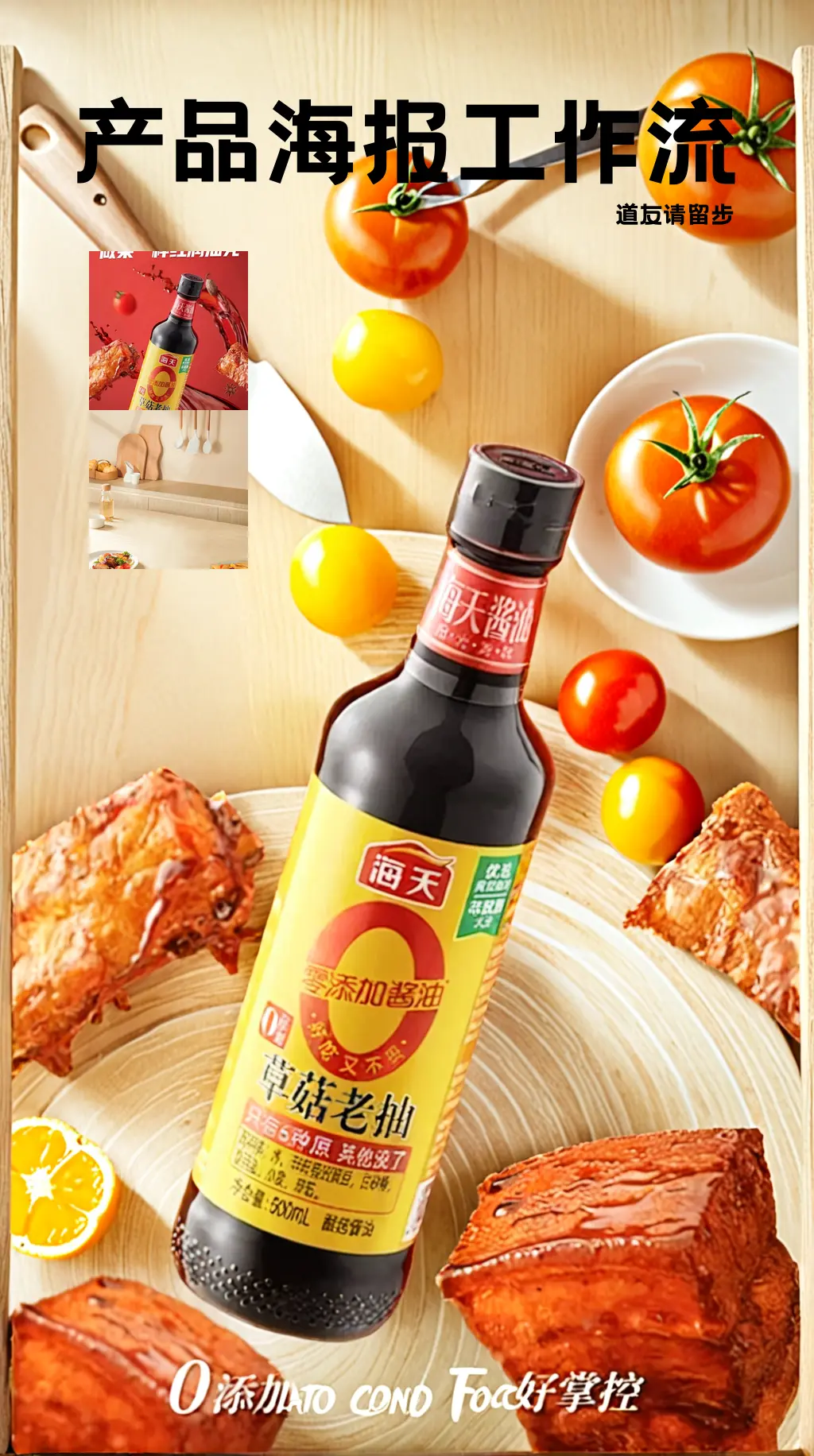
Workflow Introduction: This is a workflow for creating product posters with astonishingly good results. It can completely replicate your product and then reference the style of the background you want to use, combining the two to finally form a beautiful poster. In our work, we may encounter requirements to create posters and effect displays for a product. The most important thing to note in this requirement is that the product must not change and must blend very naturally with the background image. Of course, if you have advanced PS skills, you can certainly use PS for creation. However, PS is heavily dependent on materials, and if you are not very satisfied with the materials, you can use this workflow to draft your poster. Workflow Idea: First, process the product image by resizing it proportionally to a width of 1024, then cut out the product and create a mask for it. Next, perform …
查看原始来源 ↗
Prompt · 原文 / 翻译
Workflow Introduction: This is a workflow for creating product posters with astonishingly good results. It can completely replicate your product and then reference the style of the background you want to use, combining the two to finally form a beautiful poster. In our work, we may encounter requirements to create posters and effect displays for a product. The most important thing to note in this requirement is that the product must not change and must blend very naturally with the background image. Of course, if you have advanced PS skills, you can certainly use PS for creation. However, PS is heavily dependent on materials, and if you are not very satisfied with the materials, you can use this workflow to draft your poster. Workflow Idea: First, process the product image by resizing it proportionally to a width of 1024, then cut out the product and create a mask for it. Next, perform prompt inversion on the reference image of the background style. Then use a combination of brushNET and contronet to blend the product image with the background prompts obtained from the inversion. By this step, the process is essentially complete. If you are satisfied with the output quality, you can stop the workflow here. To achieve commercial-level quality, I used FLUX to perform secondary sampling on the composite image. Then, I used IC Light to adjust the lighting and shadows of the product and background. Finally, I used FLUX with an upscaling model to enlarge the image to 2048, thus achieving commercial value. How to Use: It's very simple to use. From the perspective of running it once, you just need to upload two images: one product image and one background reference image, then click run. When uploading the product image, please ensure that there is only one product in the image and that the product image is of high quality. If using locally, please ensure you use the network scientifically to install nodes and models. If using online, please remember to reselect the model, as the location of models may vary across platforms. Test with sample images, and after running successfully, you can use your own product and background reference images, then fine-tune the parameters. First Group Final Effect Second Group Final Effect: Share Download 190 Download 5 13 Open AI App Launch on cloud Like Favorite 道友请留步 2025-06-01 Update Follow Posters 道友请留步 2025-06-01 Update Follow Workflow introduction Workflow Introduction: This is a workflow for creating product posters with astonishingly good results. It can completely replicate your product and then reference the style of the background you want to use, combining the two to finally form a beautiful poster. In our work, we may encounter requirements to create posters and effect displays for a product. The most important thing to note in this requirement is that the product must not change and must blend very naturally with the background image. Of course, if you have advanced PS skills, you can certainly use PS for creation. However, PS is heavily dependent on materials, and if you are not very satisfied with the materials, you can use this workflow to draft your poster. Workflow Idea: First, process the product image by resizing it proportionally to a width of 1024, then cut out the product and create a mask for it. Next, perform prompt inversion on the reference image of the background style. Then use a combination of brushNET and contronet to blend the product image with the background prompts obtained from the inversion. By this step, the process is essentially complete. If you are satisfied with the output quality, you can stop the workflow here. To achieve commercial-level quality, I used FLUX to perform secondary sampling on the composite image. Then, I used IC Light to adjust the lighting and shadows of the product and background. Finally, I used FLUX with an upscaling model to enlarge the image to 2048, thus achieving commercial value. How to U
复用方法
可复用结构
把“目标结果 → 主体、场景、材质和配色 → 约束条件”抽成模板,后续可复用到同类任务。
复测标准
围绕 主体描述、风格词强度与布光/材质约束 做单变量对照,并记录模型、成本和失败结果;重复成立后再沉淀为 Skill。
建议模型
继续探索

Workflow introduction Remastered from: alansun Workflow source: https://openart.ai/workflows/alansyn/easy product relight/XdzTNRbqi1kMYpNjuFWm Product shadow and light poster drawing based on Brushnet IC Light, convenient and easy to use. By configuring different parameter switches, two mode paths are supported: Basic Mode : Suitable for scenes with simple background elements, controlling the background and light-shadow types through prompts Advanced Mode : Suitable for scenarios requiring more precise control, using precise prompts or style reference images as input, and using brushnet for background redrawing Configuration Parameter Description 1. Basic Prompt : Used to describe the product type, such as 1shoe 2. Light-Shadow Prompt : Used to describe the type of light-shadow, can also add background descriptions, such as sunshine light, river background 3. Product Image : Product mat…
提示语
Workflow introduction Remastered from: alansun Workflow source: https://openart.ai/workflows/alansyn/easy product relight/XdzTNRbqi1kMYpNjuFWm Product shadow and light poster drawing based on Brushnet IC Light, convenient and easy to use. …
Derived Skill
Skill 只从多个已发布 Case 的重复模式中派生,不是另一套投稿内容。
创作者
道友请留步 长期扎根RunningHub,出图节奏很稳,《Product poster workflow》是目前的代表作,成本控制在中等区间。

一份详细的提示词,用于生成具有 20 世纪 70 年代图形风格的奇趣字母集,包含俏皮的圆体字、粗轮廓以及鲜艳的柔和色调装饰。
提示语
A collection of alphabet letters, {argument name="letters" default="A through Z"} and decorative elements are arranged in rows against a {argument name="background color" default="

一个提示,要求创作一幅特定构图:一张照片中包含 Sam、Ilya 两位人物和一只狗。风格指定为“2000年代胶片相机风格”,情绪为“在儿童生日派对上显得很无聊”。
提示语
Combine the two men (Sam & Ilya) and the dog in a 2000s film camera-style photo of them looking bored at a kids birthday party.