


Loading…
Creator · Sun
Workflow introduction

Remastered from: alansun
Workflow source: https://openart.ai/workflows/alansyn/easy product relight/XdzTNRbqi1kMYpNjuFWm
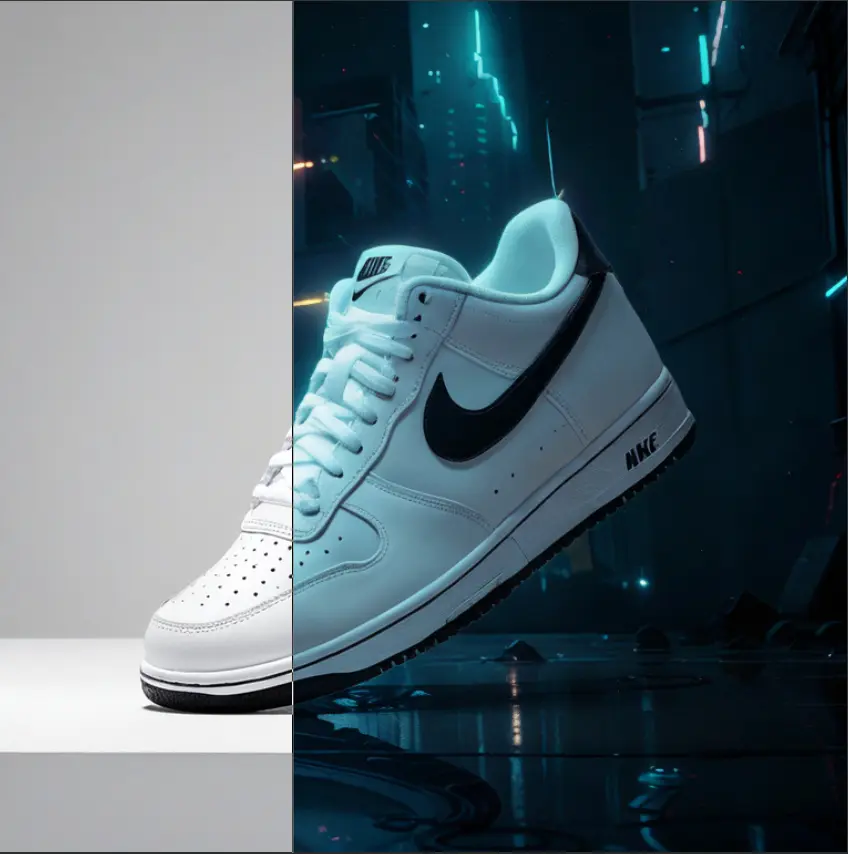
Product shadow and light poster drawing based on Brushnet IC Light, convenient and easy to use.
By configuring different parameter switches, two mode paths are supported:
Basic Mode : Suitable for scenes with simple background elements, controlling the background and light-shadow types through prompts
Advanced Mode : Suitable for scenarios requiring more precise control, using precise prompts or style reference images as input, and using brushnet for background redrawing

Configuration Parameter Description
1. Basic Prompt : Used to describe the product type, such as 1shoe
2. Light-Shadow Prompt : Used to describe the type of light-shadow, can also add background descriptions, such as sunshine light, river background
3. Product Image : Product material image that needs lighting, right-click and select `Open MaskEditor` to draw the lighting mask
4. Style Image : Reference image for redrawing the background in advanced mode, only effective when IP Adapter is enabled
5. Group Switch : Mode selection and whether to enable IP Adapter
6. Custom Light Mask : Customizable mask xy position in the LightMask GroupModels & stability
Recommended models
Independent retest evidence
Sep 2, 2026

The requested model is recorded, but the generation receipt did not expose a verifiable underlying model ID.
Aug 9, 2026

The requested model is recorded, but the generation receipt did not expose a verifiable underlying model ID.
Keep exploring

Workflow Introduction: This is a workflow for creating product posters with astonishingly good results. It can completely replicate your product and then reference the style of the background you want to use, combining the two to finally form a beautiful poster. In our work, we may encounter requirements to create posters and effect displays for a product. The most important thing to note in this requirement is that the product must not change and must blend very naturally with the background image. Of course, if you have advanced PS skills, you can certainly use PS for creation. However, PS is heavily dependent on materials, and if you are not very satisfied with the materials, you can use this workflow to draft your poster. Workflow Idea: First, process the product image by resizing it proportionally to a width of 1024, then cut out the product and create a mask for it. Next, perform …
Prompt
Workflow Introduction: This is a workflow for creating product posters with astonishingly good results. It can completely replicate your product and then reference the style of the background you want to use, combining the two to finally f…
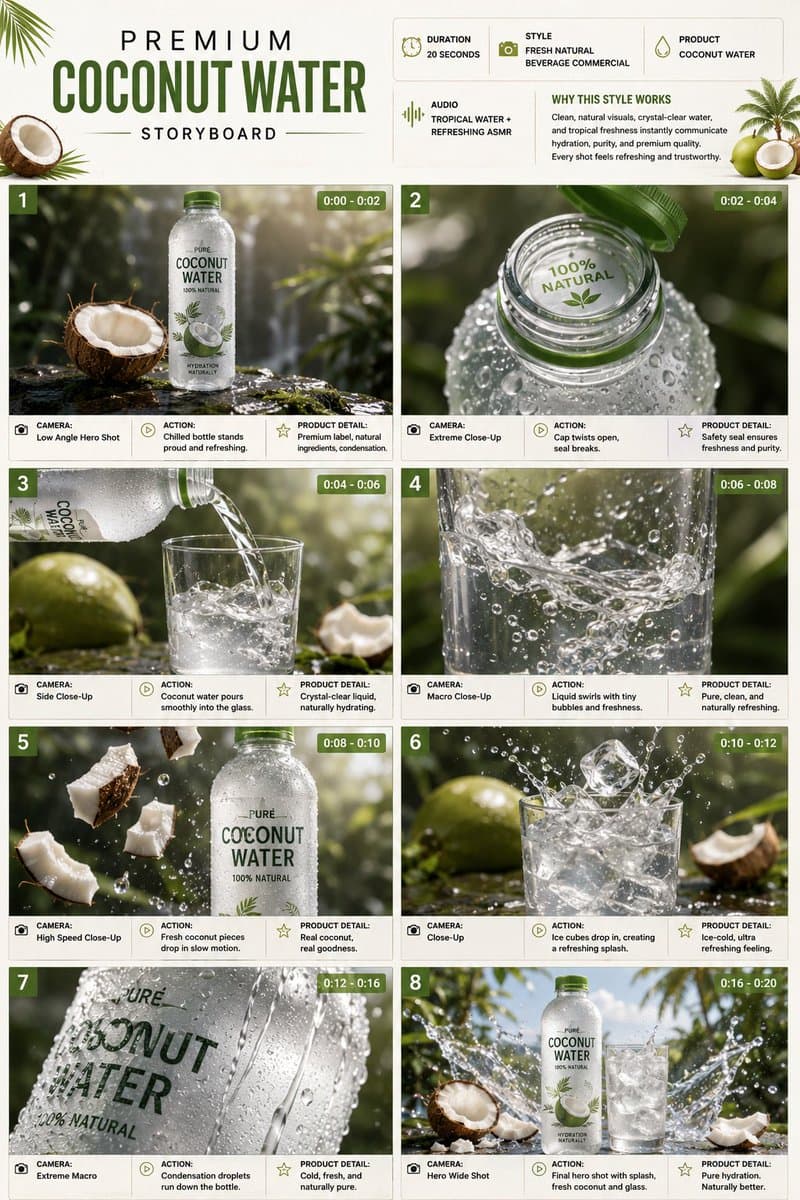
A detailed multi-frame project prompt for a premium coconut water ad. It outlines eight cinematic scenes focused on product details such as condensation droplets, liquid swirls, and splashes, in a high-end agency style.
Prompt
TITLE: Premium Coconut Water Product Commercial Storyboard FORMAT: • Single-page premium storyboard • 3:4 Portrait ratio • Premium natural beverage campaign • 8 cinematic product-
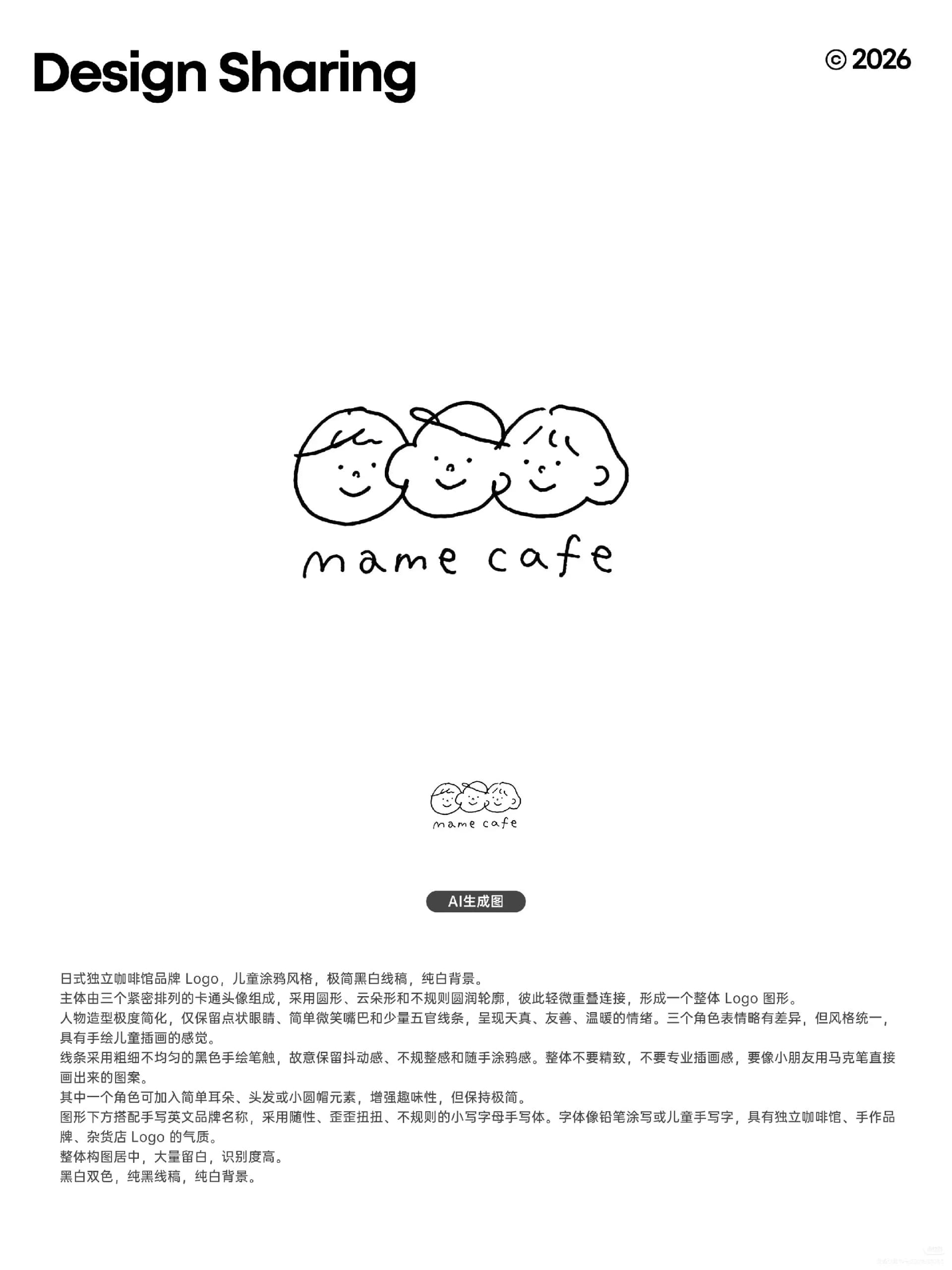
The second image from the Douyin post “AI Made These Logos Almost Perfectly in One Go! Prompt Included,” featuring a childlike, hand-drawn doodle-style logo for the Japanese independent coffee shop mame cafe. The prompt appears in the image and was manually transcribed and verified word for word. The original post says the creator “used AI to update the logo again after a year,” making this a useful reference for direct AI-generated logo results.
Prompt
Brand logo for a Japanese independent coffee shop, in a childlike doodle style, with minimalist black-and-white line art on a pure white background. The main graphic consists of three closely arranged cartoon faces using circular, cloud-lik
Each detail page keeps the original result, the prompt, and retest evidence in one reading path.