加载中…
创作者 · Aceternity UI
查看原始来源 ↗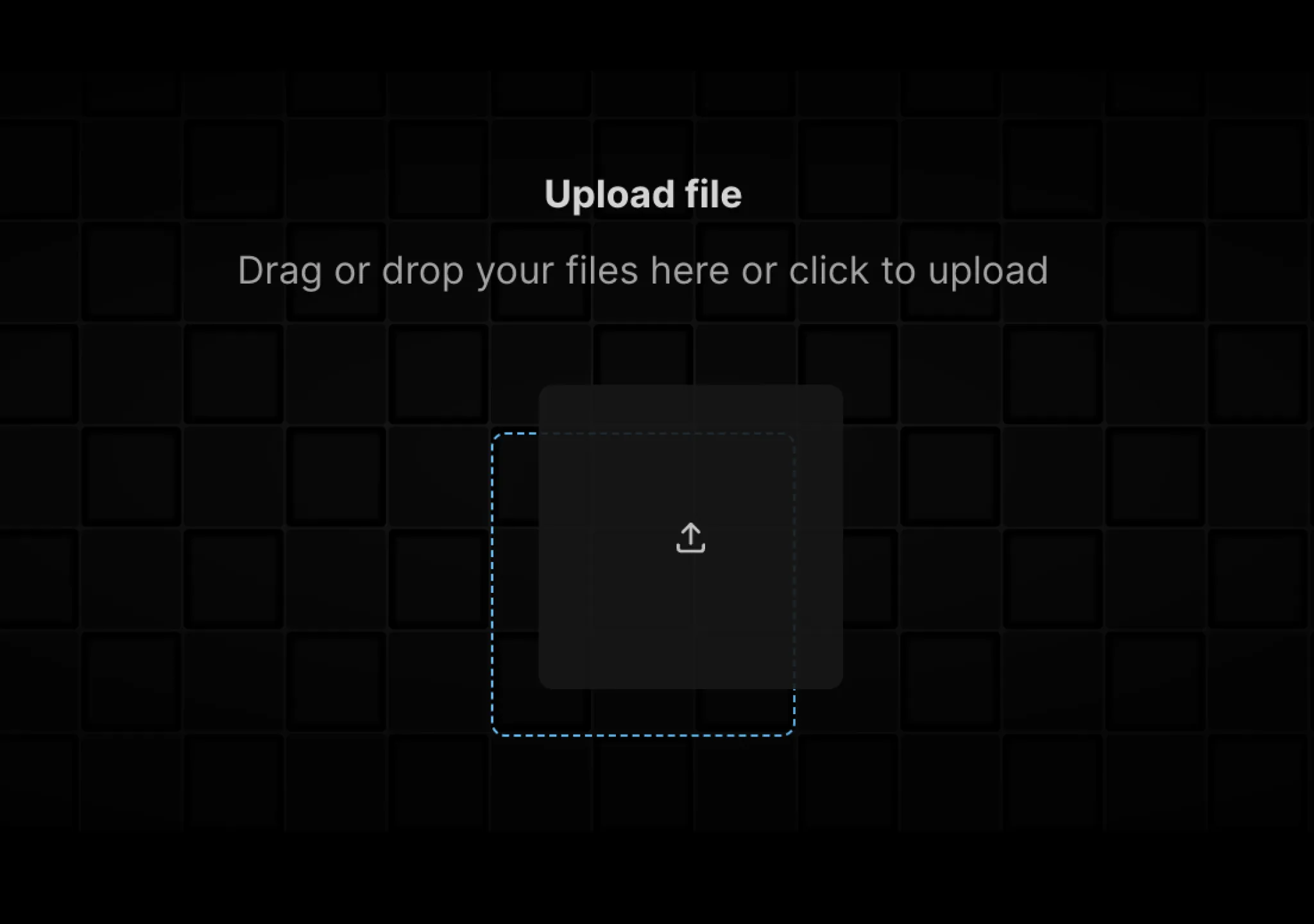
Prompt
// components/ui/file-upload.tsx
"use client";
import { cn } from "@/lib/utils";
import React, { useRef, useState } from "react";
import { motion } from "motion/react";
import { IconUpload } from "@tabler/icons-react";
import { useDropzone } from "react-dropzone";

const mainVariant = {
  initial: {
    x: 0,
    y: 0,
  },
  animate: {
    x: 20,
    y: -20,
    opacity: 0.9,
  },
};

const secondaryVariant = {
  initial: {
    opacity: 0,
  },
  animate: {
    opacity: 1,
  },
};

export const FileUpload = ({
  onChange,
}: {
  onChange?: (files: File[]) => void;
}) => {
  const [files, setFiles] = useState<File[]>([]);
  const fileInputRef = useRef<HTMLInputElement>(null);

  const handleFileChange = (newFiles: File[]) => {
    setFiles((prevFiles) => [...prevFiles, ...newFiles]);
    onChange && onChange(newFiles);
  };

  const handleClick = () => {
    fileInputRef.current?.click();
  };

  const { getRootProps, isDragActive } = useDropzone({
    multiple: false,
    noClick: true,
    onDrop: handleFileChange,
    onDropRejected: (error) => {
      console.log(error);
    },
  });

  return (
    <div className="w-full" {...getRootProps()}>
      <motion.div
        onClick={handleClick}
        whileHover="animate"
        className="group/file relative block w-full cursor-pointer overflow-hidden rounded-lg p-10"
      >
        <input
          ref={fileInputRef}
          id="file-upload-handle"
          type="file"
          onChange={(e) => handleFileChange(Array.from(e.target.files || []))}
          className="hidden"
        />
        <div className="absolute inset-0 [mask-image:radial-gradient(ellipse_at_center,white,transparent)]">
          <GridPattern />
        </div>
        <div className="flex flex-col items-center justify-center">
          <p className="relative z-20 font-sans text-base font-bold text-neutral-700 dark:text-neutral-300">
            Upload file
          </p>
          <p className="relative z-20 mt-2 font-sans text-base font-normal text-neutral-400 dark:text-neutral-400">
            Drag or drop your files here or click to upload
          </p>
          <div className="relative mx-auto mt-10 w-full max-w-xl">
            {files.length > 0 &&
              files.map((file, idx) => (
                <motion.div
                  key={"file" + idx}
                  layoutId={idx === 0 ? "file-upload" : "file-upload-" + idx}
                  className={cn(
                    "relative z-40 mx-auto mt-4 flex w-full flex-col items-start justify-start overflow-hidden rounded-md bg-white p-4 md:h-24 dark:bg-neutral-900",
                    "shadow-sm",
                  )}
                >
                  <div className="flex w-full items-center justify-between gap-4">
                    <motion.p
                      initial={{ opacity: 0 }}
                      animate={{ opacity: 1 }}
                      layout
                      className="max-w-xs truncate text-base text-neutral-700 dark:text-neutral-300"
                    >
                      {file.name}
                    </motion.p>
                    <motion.p
                      initial={{ opacity: 0 }}
                      animate={{ opacity: 1 }}
                      layout
                      className="shadow-input w-fit shrink-0 rounded-lg px-2 py-1 text-sm text-neutral-600 dark:bg-neutral-800 dark:text-white"
                    >
                      {(file.size / (1024 * 1024)).toFixed(2)} MB
                    </motion.p>
                  </div>

                  <div className="mt-2 flex w-full flex-col items-start justify-between text-sm text-neutral-600 md:flex-row md:items-center dark:text-neutral-400">
                    <motion.p
                      initial={{ opacity: 0 }}
                      animate={{ opacity: 1 }}
                      layout
                      className="rounded-md bg-gray-100 px-1 py-0.5 dark:bg-neutral-800"
                    >
                      {file.type}
                    </motion.p>

                    <motion.p
                      initial={{ opacity: 0 }}
                      animate={{ opacity: 1 }}
                      layout
                    >
                      modified{" "}
                      {new Date(file.lastModified).toLocaleDateString()}
                    </motion.p>
                  </div>
                </motion.div>
              ))}
            {!files.length && (
              <motion.div
                layoutId="file-upload"
                variants={mainVariant}
                transition={{
                  type: "spring",
                  stiffness: 300,
                  damping: 20,
                }}
                className={cn(
                  "relative z-40 mx-auto mt-4 flex h-32 w-full max-w-[8rem] items-center justify-center rounded-md bg-white group-hover/file:shadow-2xl dark:bg-neutral-900",
                  "shadow-[0px_10px_50px_rgba(0,0,0,0.1)]",
                )}
              >
                {isDragActive ? (
                  <motion.p
                    initial={{ opacity: 0 }}
                    animate={{ opacity: 1 }}
                    className="flex flex-col items-center text-neutral-600"
                  >
                    Drop it
                    <IconUpload className="h-4 w-4 text-neutral-600 dark:text-neutral-400" />
                  </motion.p>
                ) : (
                  <IconUpload className="h-4 w-4 text-neutral-600 dark:text-neutral-300" />
                )}
              </motion.div>
            )}

            {!files.length && (
              <motion.div
                variants={secondaryVariant}
                className="absolute inset-0 z-30 mx-auto mt-4 flex h-32 w-full max-w-[8rem] items-center justify-center rounded-md border border-dashed border-sky-400 bg-transparent opacity-0"
              ></motion.div>
            )}
          </div>
        </div>
      </motion.div>
    </div>
  );
};

export function GridPattern() {
  const columns = 41;
  const rows = 11;
  return (
    <div className="flex shrink-0 scale-105 flex-wrap items-center justify-center gap-x-px gap-y-px bg-gray-100 dark:bg-neutral-900">
      {Array.from({ length: rows }).map((_, row) =>
        Array.from({ length: columns }).map((_, col) => {
          const index = row * columns + col;
          return (
            <div
              key={`${col}-${row}`}
              className={`flex h-10 w-10 shrink-0 rounded-[2px] ${
                index % 2 === 0
                  ? "bg-gray-50 dark:bg-neutral-950"
                  : "bg-gray-50 shadow-[0px_0px_1px_3px_rgba(255,255,255,1)_inset] dark:bg-neutral-950 dark:shadow-[0px_0px_1px_3px_rgba(0,0,0,1)_inset]"
              }`}
            />
          );
        }),
      )}
    </div>
  );
}适用模型与稳定度
建议模型
继续探索

@Oluwaphilemon1 使用 Claude Fable 5 · Three.js · Blender · GSAP完成的网页案例,包含公开结果、完整 Prompt 与原始来源。
提示语
Claude Fable 5 和 GPT-5.6 很强🥵🥵🥵 下面是我如何使用 Claude 构建的 👇 提示词:「设计一个机构网站,把服务以 3D 超市商品包装的形式呈现」 使用 Three.js 和 WebGL 在浏览器中实时渲染所有产品 使用 Blender 制作包装模型,然后导出为 GLTF 以加载到 Three.js 中 使用 GSAP 实现流畅的产品旋转和悬停交互 如果你想做一个让客户感觉像是在购买高级商品的作品集,请保存这条 🛒
复制这段 TSX 组件源码,交给 Cursor、v0、Claude 等 AI 编程工具,说明这是「3D Animated Pin」的 Aceternity UI 组件实现,即可让它接入你的 React 项目,再按需替换文案、配色与触发参数复用。
提示语
// components/ui/3d-pin.tsx "use client"; import React, { useState } from "react"; import { motion } from "motion/react"; import { cn } from "@/lib/utils"; export const PinContainer = ({ children, title, href, className, containerClassName…

提示语
首先搜索 "/unlazy" skill,完整阅读它,并在整个任务中持续使用。 将此视为一项至少持续 {argument name="minimum duration" default="5 小时"} 的大型视觉构建。如果环境允许,最好进行 {argument name="optimal duration" default="8–24 小时"} 有实质意义的实现和迭代。不要在制作出一个还不错的场景后就停下。 在浏览器中创建一个细节极其丰富的实时 {argument nam

