加载中…
创作者 · Aceternity UI
查看原始来源 ↗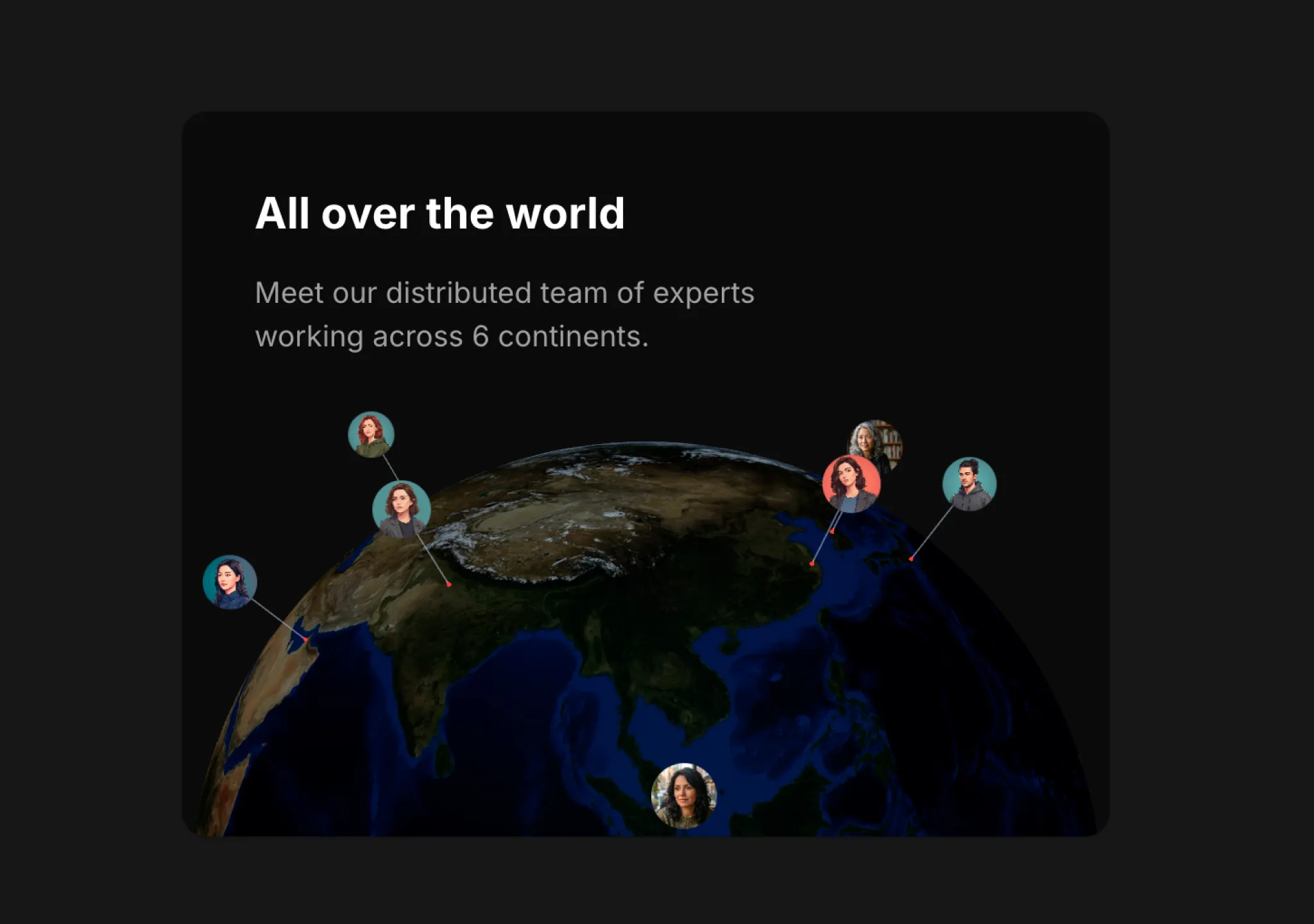
Prompt
// components/ui/3d-globe.tsx
"use client";
import React, { useRef, useMemo, useState, useCallback, Suspense } from "react";
import { Canvas, useFrame, useThree } from "@react-three/fiber";
import { OrbitControls, Html, useTexture } from "@react-three/drei";
import * as THREE from "three";
import { cn } from "@/lib/utils";

// ============================================================================
// 类型
// ============================================================================

export interface GlobeMarker {
  lat: number;
  lng: number;
  src: string;
  label?: string;
  size?: number;
}

export interface Globe3DConfig {
  /** 地球半径 */
  radius?: number;
  /** 地球基础颜色(用作备用颜色或色调) */
  globeColor?: string;
  /** 地球纹理贴图的 URL */
  textureUrl?: string;
  /** 地形凹凸/高程贴图的 URL */
  bumpMapUrl?: string;
  /** 是否显示大气层辉光 */
  showAtmosphere?: boolean;
  /** 大气层颜色 */
  atmosphereColor?: string;
  /** 大气层强度 */
  atmosphereIntensity?: number;
  /** 大气层模糊度/柔和度(越高越扩散,默认值为 3) */
  atmosphereBlur?: number;
  /** 地形凹凸缩放(0 = 平坦,越高越明显) */
  bumpScale?: number;
  /** 自动旋转速度(0 = 禁用) */
  autoRotateSpeed?: number;
  /** 启用缩放 */
  enableZoom?: boolean;
  /** 启用平移 */
  enablePan?: boolean;
  /** 最小缩放距离 */
  minDistance?: number;
  /** 最大缩放距离 */
  maxDistance?: number;
  /** 初始旋转角度 */
  initialRotation?: { x: number; y: number };
  /** 标记默认大小 */
  markerSize?: number;
  /** 显示线框叠加层 */
  showWireframe?: boolean;
  /** 线框颜色 */
  wireframeColor?: string;
  /** 环境光强度 */
  ambientIntensity?: number;
  /** 点光源强度 */
  pointLightIntensity?: number;
  /** 背景颜色(null 表示透明) */
  backgroundColor?: string | null;
}

interface Globe3DProps {
  /** 要在地球上显示的标记数组 */
  markers?: GlobeMarker[];
  /** 地球配置 */
  config?: Globe3DConfig;
  /** 附加 CSS 类 */
  className?: string;
  /** 点击标记时的回调 */
  onMarkerClick?: (marker: GlobeMarker) => void;
  /** 悬停在标记上时的回调 */
  onMarkerHover?: (marker: GlobeMarker | null) => void;
}

// ============================================================================
// 常量 - 地球纹理 URL(NASA Blue Marble)
// ============================================================================

const DEFAULT_EARTH_TEXTURE =
  "https://unpkg.com/three-globe@2.31.0/example/img/earth-blue-marble.jpg";
const DEFAULT_BUMP_TEXTURE =
  "https://unpkg.com/three-globe@2.31.0/example/img/earth-topology.png";

// ============================================================================
// 工具函数
// ============================================================================

/**
 * 将经纬度转换为 3D 笛卡尔坐标
 */
function latLngToVector3(
  lat: number,
  lng: number,
  radius: number,
): THREE.Vector3 {
  const phi = (90 - lat) * (Math.PI / 180);
  const theta = (lng + 180) * (Math.PI / 180);

  const x = -(radius * Math.sin(phi) * Math.cos(theta));
  const z = radius * Math.sin(phi) * Math.sin(theta);
  const y = radius * Math.cos(phi);

  return new THREE.Vector3(x, y, z);
}

// ============================================================================
// 标记组件(静态——由父级组处理旋转)
// ============================================================================

interface MarkerProps {
  marker: GlobeMarker;
  radius: number;
  defaultSize: number;
  onClick?: (marker: GlobeMarker) => void;
  onHover?: (marker: GlobeMarker | null) => void;
}

function Marker({
  marker,
  radius,
  defaultSize,
  onClick,
  onHover,
}: MarkerProps) {
  const [hovered, setHovered] = useState(false);
  const [isVisible, setIsVisible] = useState(true);
  const groupRef = useRef<THREE.Group>(null);
  const imageGroupRef = useRef<THREE.Group>(null);
  const { camera } = useThree();

  // 表面位置(线条起点)
  const surfacePosition = useMemo(() => {
    return latLngToVector3(marker.lat, marker.lng, radius * 1.001);
  }, [marker.lat, marker.lng, radius]);

  // 线条顶端(图像所在位置)——向外放置,以防进入地球内部
  const topPosition = useMemo(() => {
    return latLngToVector3(marker.lat, marker.lng, radius * 1.18);
  }, [marker.lat, marker.lng, radius]);

  const lineHeight = topPosition.distanceTo(surfacePosition);

  // 检查标记是否面向 camera
  useFrame(() => {
    if (!imageGroupRef.current) return;

    // 获取图像(已定位元素)的世界坐标
    const worldPos = new THREE.Vector3();
    imageGroupRef.current.getWorldPosition(worldPos);

    // 从地球中心 (0,0,0) 指向标记的方向
    const markerDirection = worldPos.clone().normalize();

    // 从地球中心指向 camera 的方向
    const cameraDirection = camera.position.clone().normalize();

    // 点积:正值表示面向 camera,负值表示位于背面
    const dot = markerDirection.dot(cameraDirection);

    // 仅当标记面向 camera 时显示(阈值更严格)
    setIsVisible(dot > 0.1);
  });

  const handlePointerEnter = useCallback(() => {
    setHovered(true);
    onHover?.(marker);
  }, [marker, onHover]);

  const handlePointerLeave = useCallback(() => {
    setHovered(false);
    onHover?.(null);
  }, [onHover]);

  const handleClick = useCallback(() => {
    onClick?.(marker);
  }, [marker, onClick]);

  // 计算线条中心和方向
  const { lineCenter, lineQuaternion } = useMemo(() => {
    const center = surfacePosition.clone().lerp(topPosition, 0.5);

    // 计算旋转,使圆柱体与从表面到顶端的方向对齐
    const direction = topPosition.clone().sub(surfacePosition).normalize();
    const quaternion = new THREE.Quaternion();
    quaternion.setFromUnitVectors(new THREE.Vector3(0, 1, 0), direction);

    return { lineCenter: center, lineQuaternion: quaternion };
  }, [surfacePosition, topPosition]);

  return (
    <group ref={groupRef} visible={isVisible}>
      {/* 从表面到图像的图钉线条——方向正确 */}
      <mesh position={lineCenter} quaternion={lineQuaternion}>
        <cylinderGeometry args={[0.003, 0.003, lineHeight, 8]} />
        <meshBasicMaterial
          color={hovered ? "#ffffff" : "#94a3b8"}
          transparent
          opacity={hovered ? 0.9 : 0.6}
        />
      </mesh>

      {/* 表面上的图钉点 */}
      <mesh position={surfacePosition} quaternion={lineQuaternion}>
        <coneGeometry args={[0.015, 0.04, 8]} />
        <meshBasicMaterial color={hovered ? "#f97316" : "#ef4444"} />
      </mesh>

      {/* 顶端的圆形图像 */}
      <group ref={imageGroupRef} position={topPosition}>
        <Html
          transform
          center
          sprite
          distanceFactor={10}
          style={{
            pointerEvents: isVisible ? "auto" : "none",
            opacity: isVisible ? 1 : 0,
            transition: "opacity 0.15s ease-out",
          }}
        >
          <div
            className={cn(
              "cursor-pointer overflow-hidden rounded-full bg-neutral-900 shadow-lg transition-transform duration-200",
              hovered && "scale-125 shadow-xl ring-1 ring-white/50",
            )}
            style={{
              width: "8px",
              height: "8px",
            }}
            onMouseEnter={handlePointerEnter}
            onMouseLeave={handlePointerLeave}
            onClick={handleClick}
          >
            <img
              src={marker.src}
              alt={marker.label || "标记"}
              className="h-full w-full object-cover"
              draggable={false}
            />
          </div>
        </Html>
      </group>
    </group>
  );
}

// ============================================================================
// 带标记的旋转地球(全部一起旋转)
// ============================================================================

interface RotatingGlobeProps {
  config: Required<Globe3DConfig>;
  markers: GlobeMarker[];
  onMarkerClick?: (marker: GlobeMarker) => void;
  onMarkerHover?: (marker: GlobeMarker | null) => void;
}

function RotatingGlobe({
  config,
  markers,
  onMarkerClick,
  onMarkerHover,
}: RotatingGlobeProps) {
  const groupRef = useRef<THREE.Group>(null);

  // 加载地球纹理
  const [earthTexture, bumpTexture] = useTexture([
    config.textureUrl,
    config.bumpMapUrl,
  ]);

  // 配置纹理
  useMemo(() => {
    if (earthTexture) {
      earthTexture.colorSpace = THREE.SRGBColorSpace;
      earthTexture.anisotropy = 16;
    }
    if (bumpTexture) {
      bumpTexture.anisotropy = 8;
    }
  }, [earthTexture, bumpTexture]);

  // 创建几何体
  const geometry = useMemo(() => {
    return new THREE.SphereGeometry(config.radius, 64, 64);
  }, [config.radius]);

  const wireframeGeometry = useMemo(() => {
    return new THREE.SphereGeometry(config.radius * 1.002, 32, 16);
  }, [config.radius]);

  return (
    <group ref={groupRef}>
      {/* 带地球纹理的主地球网格 */}
      <mesh geometry={geometry}>
        <meshStandardMaterial
          map={earthTexture}
          bumpMap={bumpTexture}
          bumpScale={config.bumpScale * 0.05}
          roughness={0.7}
          metalness={0.0}
        />
      </mesh>

      {/* 线框叠加层 */}
      {config.showWireframe && (
        <mesh geometry={wireframeGeometry}>
          <meshBasicMaterial
            color={config.wireframeColor}
            wireframe
            transparent
            opacity={0.08}
          />
        </mesh>
      )}

      {/* 标记——现在位于旋转组内 */}
      {markers.map((marker, index) => (
        <Marker
          key={`marker-${index}-${marker.lat}-${marker.lng}`}
          marker={marker}
          radius={config.radius}
          defaultSize={config.markerSize}
          onClick={onMarkerClick}
          onHover={onMarkerHover}
        />
      ))}
    </group>
  );
}

// ============================================================================
// 大气层组件(保持静止——不旋转)
// ============================================================================

interface AtmosphereProps {
  radius: number;
  color: string;
  intensity: number;
  blur: number;
}

function Atmosphere({ radius, color, intensity, blur }: AtmosphereProps) {
  // blur 控制菲涅耳指数:越低越扩散,越高边缘越清晰
  // 将其反转,使 blur 值越高越扩散(指数越低)
  const fresnelPower = Math.max(0.5, 5 - blur);

  const atmosphereMaterial = useMemo(() => {
    return new THREE.ShaderMaterial({
      uniforms: {
        atmosphereColor: { value: new THREE.Color(color) },
        intensity: { value: intensity },
        fresnelPower: { value: fresnelPower },
      },
      vertexShader: `
        varying vec3 vNormal;
        varying vec3 vPosition;
        void main() {
          vNormal = normalize(normalMatrix * normal);
          vPosition = (modelViewMatrix * vec4(position, 1.0)).xyz;
          gl_Position = projectionMatrix * modelViewMatrix * vec4(position, 1.0);
        }
      `,
      fragmentShader: `
        uniform vec3 atmosphereColor;
        uniform float intensity;
        uniform float fresnelPower;
        varying vec3 vNormal;
        varying vec3 vPosition;
        void main() {
          float fresnel = pow(1.0 - abs(dot(vNormal, normalize(-vPosition))), fresnelPower);
          gl_FragColor = vec4(atmosphereColor, fresnel * intensity);
        }
      `,
      side: THREE.BackSide,
      transparent: true,
      depthWrite: false,
    });
  }, [color, intensity, fresnelPower]);

  return (
    <mesh scale={[1.12, 1.12, 1.12]}>
      <sphereGeometry args={[radius, 64, 32]} />
      <primitive object={atmosphereMaterial} attach="material" />
    </mesh>
  );
}

// ============================================================================
// 场景组件
// ============================================================================

interface SceneProps {
  markers: GlobeMarker[];
  config: Required<Globe3DConfig>;
  onMarkerClick?: (marker: GlobeMarker) => void;
  onMarkerHover?: (marker: GlobeMarker | null) => void;
}

function Scene({ markers, config, onMarkerClick, onMarkerHover }: SceneProps) {
  const { camera } = useThree();

  // 设置初始 camera 位置(后移以容纳标记)
  React.useEffect(() => {
    camera.position.set(0, 0, config.radius * 3.5);
    camera.lookAt(0, 0, 0);
  }, [camera, config.radius]);

  return (
    <>
      {/* 光照 */}
      <ambientLight intensity={config.ambientIntensity} />
      <directionalLight
        position={[config.radius * 5, config.radius * 2, config.radius * 5]}
        intensity={config.pointLightIntensity}
        color="#ffffff"
      />
      <directionalLight
        position={[-config.radius * 3, config.radius, -config.radius * 2]}
        intensity={config.pointLightIntensity * 0.3}
        color="#88ccff"
      />

      {/* 带标记的旋转地球 */}
      <RotatingGlobe
        config={config}
        markers={markers}
        onMarkerClick={onMarkerClick}
        onMarkerHover={onMarkerHover}
      />

      {/* 大气层(静态) */}
      {config.showAtmosphere && (
        <Atmosphere
          radius={config.radius}
          color={config.atmosphereColor}
          intensity={config.atmosphereIntensity}
          blur={config.atmosphereBlur}
        />
      )}

      {/* 控件 */}
      <OrbitControls
        makeDefault
        enablePan={config.enablePan}
        enableZoom={config.enableZoom}
        minDistance={config.minDistance}
        maxDistance={config.maxDistance}
        rotateSpeed={0.4}
        autoRotate={config.autoRotateSpeed > 0}
        autoRotateSpeed={config.autoRotateSpeed}
        enableDamping
        dampingFactor={0.1}
      />
    </>
  );
}

// ============================================================================
// 加载备用界面
// ============================================================================

function LoadingFallback() {
  return (
    <Html center>
      <div className="flex shrink-0 flex-col items-center gap-3">
        <span className="inline-block shrink-0 text-sm text-neutral-400">
          正在加载地球...
        </span>
      </div>
    </Html>
  );
}

// ============================================================================
// 主 Globe3D 组件
// ============================================================================

const defaultConfig: Required<Globe3DConfig> = {
  radius: 2,
  globeColor: "#1a1a2e",
  textureUrl: DEFAULT_EARTH_TEXTURE,
  bumpMapUrl: DEFAULT_BUMP_TEXTURE,
  showAtmosphere: false,
  atmosphereColor: "#4da6ff",
  atmosphereIntensity: 0.5,
  atmosphereBlur: 2,
  bumpScale: 1,
  autoRotateSpeed: 0.3,
  enableZoom: false,
  enablePan: false,
  minDistance: 5,
  maxDistance: 15,
  initialRotation: { x: 0, y: 0 },
  markerSize: 0.06,
  showWireframe: false,
  wireframeColor: "#4a9eff",
  ambientIntensity: 0.6,
  pointLightIntensity: 1.5,
  backgroundColor: null,
};

export function Globe3D({
  markers = [],
  config = {},
  className,
  onMarkerClick,
  onMarkerHover,
}: Globe3DProps) {
  const mergedConfig = useMemo(
    () => ({ ...defaultConfig, ...config }),
    [config],
  );

  return (
    <div className={cn("relative h-[500px] w-full", className)}>
      <Canvas
        gl={{
          antialias: true,
          alpha: true,
          powerPreference: "high-performance",
        }}
        dpr={[1, 2]}
        camera={{
          fov: 45,
          near: 0.1,
          far: 1000,
          position: [0, 0, mergedConfig.radius * 3.5],
        }}
        style={{
          background: mergedConfig.backgroundColor || "transparent",
        }}
      >
        <Suspense fallback={<LoadingFallback />}>
          <Scene
            markers={markers}
            config={mergedConfig}
            onMarkerClick={onMarkerClick}
            onMarkerHover={onMarkerHover}
          />
        </Suspense>
      </Canvas>
    </div>
  );
}

export default Globe3D;适用模型与稳定度
建议模型
继续探索

@Oluwaphilemon1 使用 Claude Fable 5 · Three.js · Blender · GSAP完成的网页案例,包含公开结果、完整 Prompt 与原始来源。
提示语
Claude Fable 5 和 GPT-5.6 很强🥵🥵🥵 下面是我如何使用 Claude 构建的 👇 提示词:「设计一个机构网站,把服务以 3D 超市商品包装的形式呈现」 使用 Three.js 和 WebGL 在浏览器中实时渲染所有产品 使用 Blender 制作包装模型,然后导出为 GLTF 以加载到 Three.js 中 使用 GSAP 实现流畅的产品旋转和悬停交互 如果你想做一个让客户感觉像是在购买高级商品的作品集,请保存这条 🛒
复制这段 TSX 组件源码,交给 Cursor、v0、Claude 等 AI 编程工具,说明这是「3D Animated Pin」的 Aceternity UI 组件实现,即可让它接入你的 React 项目,再按需替换文案、配色与触发参数复用。
提示语
// components/ui/3d-pin.tsx "use client"; import React, { useState } from "react"; import { motion } from "motion/react"; import { cn } from "@/lib/utils"; export const PinContainer = ({ children, title, href, className, containerClassName…

提示语
首先搜索 "/unlazy" skill,完整阅读它,并在整个任务中持续使用。 将此视为一项至少持续 {argument name="minimum duration" default="5 小时"} 的大型视觉构建。如果环境允许,最好进行 {argument name="optimal duration" default="8–24 小时"} 有实质意义的实现和迭代。不要在制作出一个还不错的场景后就停下。 在浏览器中创建一个细节极其丰富的实时 {argument nam

