加载中…
创作者 · Aceternity UI
查看原始来源 ↗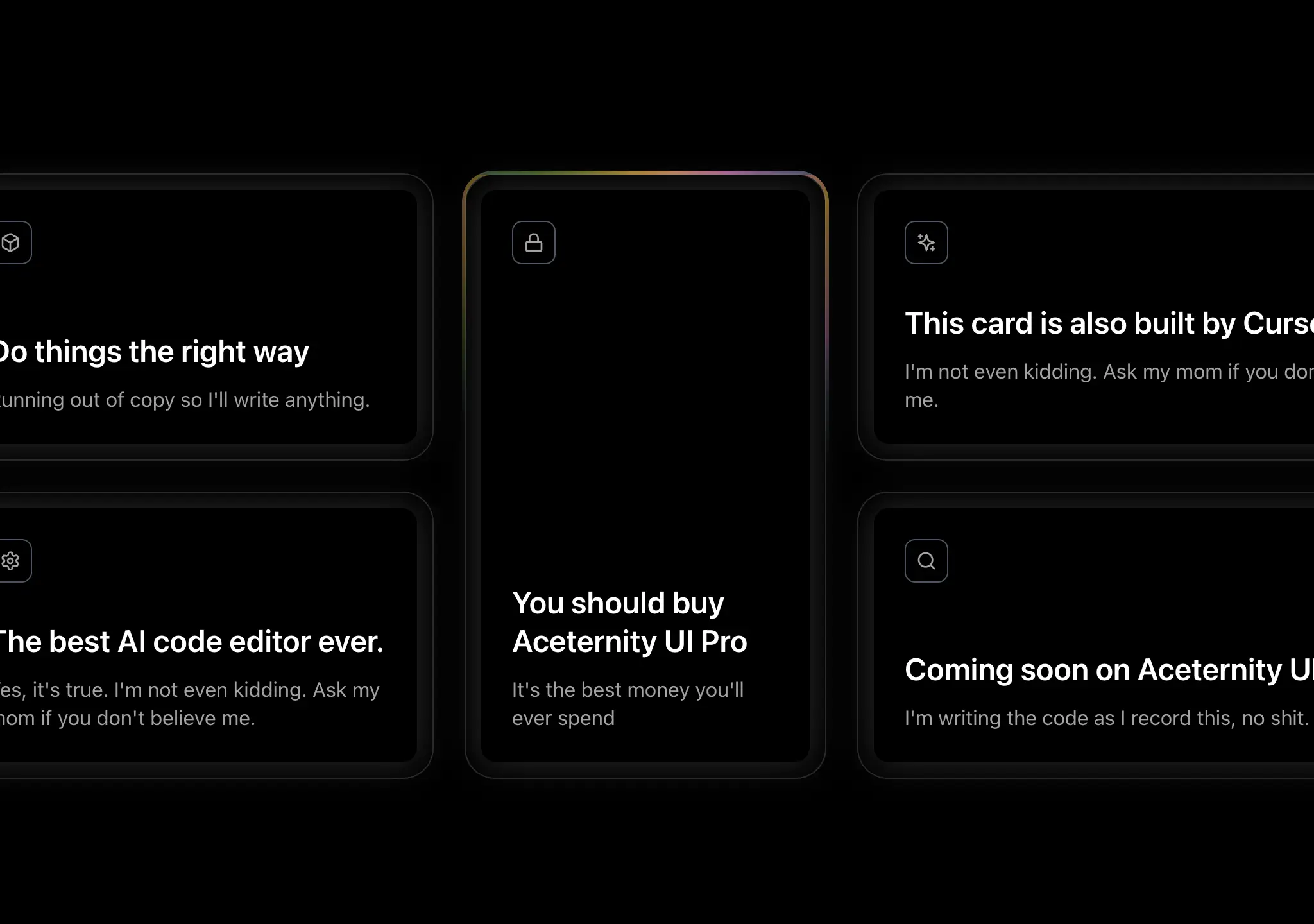
Prompt
// components/ui/glowing-effect.tsx
"use client";

import { memo, useCallback, useEffect, useRef } from "react";
import { cn } from "@/lib/utils";
import { animate } from "motion/react";

interface GlowingEffectProps {
  blur?: number;
  inactiveZone?: number;
  proximity?: number;
  spread?: number;
  variant?: "default" | "white";
  glow?: boolean;
  className?: string;
  disabled?: boolean;
  movementDuration?: number;
  borderWidth?: number;
}
const GlowingEffect = memo(
  ({
    blur = 0,
    inactiveZone = 0.7,
    proximity = 0,
    spread = 20,
    variant = "default",
    glow = false,
    className,
    movementDuration = 2,
    borderWidth = 1,
    disabled = true,
  }: GlowingEffectProps) => {
    const containerRef = useRef<HTMLDivElement>(null);
    const lastPosition = useRef({ x: 0, y: 0 });
    const animationFrameRef = useRef<number>(0);

    const handleMove = useCallback(
      (e?: MouseEvent | { x: number; y: number }) => {
        if (!containerRef.current) return;

        if (animationFrameRef.current) {
          cancelAnimationFrame(animationFrameRef.current);
        }

        animationFrameRef.current = requestAnimationFrame(() => {
          const element = containerRef.current;
          if (!element) return;

          const { left, top, width, height } = element.getBoundingClientRect();
          const mouseX = e?.x ?? lastPosition.current.x;
          const mouseY = e?.y ?? lastPosition.current.y;

          if (e) {
            lastPosition.current = { x: mouseX, y: mouseY };
          }

          const center = [left + width * 0.5, top + height * 0.5];
          const distanceFromCenter = Math.hypot(
            mouseX - center[0],
            mouseY - center[1]
          );
          const inactiveRadius = 0.5 * Math.min(width, height) * inactiveZone;

          if (distanceFromCenter < inactiveRadius) {
            element.style.setProperty("--active", "0");
            return;
          }

          const isActive =
            mouseX > left - proximity &&
            mouseX < left + width + proximity &&
            mouseY > top - proximity &&
            mouseY < top + height + proximity;

          element.style.setProperty("--active", isActive ? "1" : "0");

          if (!isActive) return;

          const currentAngle =
            parseFloat(element.style.getPropertyValue("--start")) || 0;
          let targetAngle =
            (180 * Math.atan2(mouseY - center[1], mouseX - center[0])) /
              Math.PI +
            90;

          const angleDiff = ((targetAngle - currentAngle + 180) % 360) - 180;
          const newAngle = currentAngle + angleDiff;

          animate(currentAngle, newAngle, {
            duration: movementDuration,
            ease: [0.16, 1, 0.3, 1],
            onUpdate: (value) => {
              element.style.setProperty("--start", String(value));
            },
          });
        });
      },
      [inactiveZone, proximity, movementDuration]
    );

    useEffect(() => {
      if (disabled) return;

      const handleScroll = () => handleMove();
      const handlePointerMove = (e: PointerEvent) => handleMove(e);

      window.addEventListener("scroll", handleScroll, { passive: true });
      document.body.addEventListener("pointermove", handlePointerMove, {
        passive: true,
      });

      return () => {
        if (animationFrameRef.current) {
          cancelAnimationFrame(animationFrameRef.current);
        }
        window.removeEventListener("scroll", handleScroll);
        document.body.removeEventListener("pointermove", handlePointerMove);
      };
    }, [handleMove, disabled]);

    return (
      <>
        <div
          className={cn(
            "pointer-events-none absolute -inset-px hidden rounded-[inherit] border opacity-0 transition-opacity",
            glow && "opacity-100",
            variant === "white" && "border-white",
            disabled && "!block"
          )}
        />
        <div
          ref={containerRef}
          style={
            {
              "--blur": `${blur}px`,
              "--spread": spread,
              "--start": "0",
              "--active": "0",
              "--glowingeffect-border-width": `${borderWidth}px`,
              "--repeating-conic-gradient-times": "5",
              "--gradient":
                variant === "white"
                  ? `repeating-conic-gradient(
                  from 236.84deg at 50% 50%,
                  var(--black),
                  var(--black) calc(25% / var(--repeating-conic-gradient-times))
                )`
                  : `radial-gradient(circle, #dd7bbb 10%, #dd7bbb00 20%),
                radial-gradient(circle at 40% 40%, #d79f1e 5%, #d79f1e00 15%),
                radial-gradient(circle at 60% 60%, #5a922c 10%, #5a922c00 20%),
                radial-gradient(circle at 40% 60%, #4c7894 10%, #4c789400 20%),
                repeating-conic-gradient(
                  from 236.84deg at 50% 50%,
                  #dd7bbb 0%,
                  #d79f1e calc(25% / var(--repeating-conic-gradient-times)),
                  #5a922c calc(50% / var(--repeating-conic-gradient-times)),
                  #4c7894 calc(75% / var(--repeating-conic-gradient-times)),
                  #dd7bbb calc(100% / var(--repeating-conic-gradient-times))
                )`,
            } as React.CSSProperties
          }
          className={cn(
            "pointer-events-none absolute inset-0 rounded-[inherit] opacity-100 transition-opacity",
            glow && "opacity-100",
            blur > 0 && "blur-[var(--blur)] ",
            className,
            disabled && "!hidden"
          )}
        >
          <div
            className={cn(
              "glow",
              "rounded-[inherit]",
              'after:content-[""] after:rounded-[inherit] after:absolute after:inset-[calc(-1*var(--glowingeffect-border-width))]',
              "after:[border:var(--glowingeffect-border-width)_solid_transparent]",
              "after:[background:var(--gradient)] after:[background-attachment:fixed]",
              "after:opacity-[var(--active)] after:transition-opacity after:duration-300",
              "after:[mask-clip:padding-box,border-box]",
              "after:[mask-composite:intersect]",
              "after:[mask-image:linear-gradient(#0000,#0000),conic-gradient(from_calc((var(--start)-var(--spread))*1deg),#00000000_0deg,#fff,#00000000_calc(var(--spread)*2deg))]"
            )}
          />
        </div>
      </>
    );
  }
);

GlowingEffect.displayName = "GlowingEffect";

export { GlowingEffect };适用模型与稳定度
建议模型
继续探索

@Oluwaphilemon1 使用 Claude Fable 5 · Three.js · Blender · GSAP完成的网页案例,包含公开结果、完整 Prompt 与原始来源。
提示语
Claude Fable 5 和 GPT-5.6 很强🥵🥵🥵 下面是我如何使用 Claude 构建的 👇 提示词:「设计一个机构网站,把服务以 3D 超市商品包装的形式呈现」 使用 Three.js 和 WebGL 在浏览器中实时渲染所有产品 使用 Blender 制作包装模型,然后导出为 GLTF 以加载到 Three.js 中 使用 GSAP 实现流畅的产品旋转和悬停交互 如果你想做一个让客户感觉像是在购买高级商品的作品集,请保存这条 🛒
复制这段 TSX 组件源码,交给 Cursor、v0、Claude 等 AI 编程工具,说明这是「3D Animated Pin」的 Aceternity UI 组件实现,即可让它接入你的 React 项目,再按需替换文案、配色与触发参数复用。
提示语
// components/ui/3d-pin.tsx "use client"; import React, { useState } from "react"; import { motion } from "motion/react"; import { cn } from "@/lib/utils"; export const PinContainer = ({ children, title, href, className, containerClassName…

提示语
首先搜索 "/unlazy" skill,完整阅读它,并在整个任务中持续使用。 将此视为一项至少持续 {argument name="minimum duration" default="5 小时"} 的大型视觉构建。如果环境允许,最好进行 {argument name="optimal duration" default="8–24 小时"} 有实质意义的实现和迭代。不要在制作出一个还不错的场景后就停下。 在浏览器中创建一个细节极其丰富的实时 {argument nam

