Case library · Public evidence
No news summaries—only cases that point to finished work, creators, process, and original sources. Rankings, favorites, creator pages, and retests all grow from the same case.
GoodCase reconstructed this prompt from the public result image and the creator's MIT-licensed Skill method, then ran two independent generations without the source image or a fixed seed. Both runs preserved the violet single-ink engraving, rococo frame, grape cluster, title, and labels at the requested 3:4 ratio. A/B stability: 8.7/10. This is not the creator's disclosed original prompt; the original model, seed, and exact prompt are unknown.
Prompt
GoodCase reconstructed prompt (not the creator's original): a vertical 3:4 violet rococo grape poster built from fine engraving and micro-dot halftone.
GoodCase reconstructed this prompt from the public result image and the creator's MIT-licensed Skill method, then ran two independent generations without the source image or a fixed seed. Both runs preserved the mint single-ink halftone, engraved botanical texture, editorial typography, and requested copy; one run drifted from 3:4. A/B stability: 7.8/10. This is not the creator's disclosed original prompt; the original model, seed, and exact prompt are unknown.
Prompt
GoodCase reconstructed prompt (not the creator's original): a vertical 3:4 mint-green halftone lily poster with an oversized Didone title and sparse specimen labels.
GoodCase reconstructed this prompt from the public result image and the creator's MIT-licensed Skill method, then ran two independent generations without the source image or a fixed seed. Both runs preserved the oversized cropped butterfly, deep-teal single ink, bitmap engraving, editorial title, labels, paper texture, and 3:4 ratio. A/B stability: 9.3/10. This is not the creator's disclosed original prompt; the original model, seed, and exact prompt are unknown.
Prompt
GoodCase reconstructed prompt (not the creator's original): a vertical 3:4 deep-teal entomological poster with an oversized cropped butterfly and Didone title.

A refined editorial poster combining bold Chinese magazine typography with naive crayon-style drawings of Nanjing morning food and decorative motifs.
Prompt
Create a literary magazine cover style poster about {argument name="city greeting" default="Nanjing, good morning"}. Use a wide horizontal 16:9 canvas with a muted pale olive-green background and lots of quiet negative space. Place the main typographic weight in the upper-right: huge black Chinese calligraphic serif characters reading {argument name="main headline" default="南京,早安"}, thick, elegant, slightly oppressive like inked magazine masthead typography. Directly beneath the headline, add a thin horizontal rule on both sides of a small Chinese subtitle reading “城市清晨问候特辑”, and to the right add italic English text “Good Morning, Nanjing”. On the right-middle, set the date {argument name="date" default="2026.07.25"} in refined black serif numerals, with smaller Chinese text below: “星期六 农历六月十三”, then a tiny centered dash. Below that, create a compact almanac-style information block with a small red sun icon and the label “今日宜忌”, dotted divider lines, and exactly 2 circular badges: one labeled “宜” followed by “散心、看树、尝鲜”, and one labeled “忌” followed by “仓促、发呆过头、错过晨光”. At the bottom-right, add spaced small caps English “CITY MORNING GREETINGS”, a diagonal slash, and a small Chinese quote: “把日子过成诗 / 把清晨过成喜欢的样子”. In the lower-left, depict the theme object as naive crayon drawing rather than realism: exactly 2 illustrated food objects, a decorative handheld fan and a plate of sliced salted duck with orange egg-like centers. The fan should be ornate, rounded, outlined in dark green, filled with childlike swirls, flowers, cloud motifs, yellow, blue, white, and green crayon scribbles, with a brown handle and teal tassel. The plate should be a simple blue-outlined oval containing several thick slices of duck rendered with rough white, brown, orange, and red crayon strokes. Add small playful doodles around them: one red star, one green circle, one yellow squiggle, one tiny green vine flourish, three short white accent strokes, and a few small blue dash marks near the plate. Overall style: calm editorial cover, literary magazine layout, refined black typography contrasted with innocent wax-crayon illustration, minimal color palette, soft paper texture, no photorealism, no extra objects, no watermark.

A comprehensive prompt for creating stylish scrapbook-style Korean food advertising posters. It supports custom dishes and prices and is designed to present a warm, aesthetically pleasing visual effect.
Prompt
Create a cute, trendy scrapbook-style Korean food advertisement poster featuring {argument name="menu name" default="[Menu Name]"} as the main focus, with the price {argument name="price" default="[Price]"} displayed prominently beside it as a sticker or torn paper label. If a reference photo is provided, accurately preserve the food's shape, ingredients, colours, plating, and overall identity while enhancing lighting, texture, and realism to make it look more delicious. If no photo is provided, create a realistic version based on the menu name without adding uncertain ingredients. Place the food large in the centre with rich, appetising details such as crispy textures, juicy meat, glossy sauces, and fresh ingredients. Use a warm café aesthetic with a vintage scrapbook collage style, including torn paper, masking tape, sticky notes, handwritten doodles, arrows, stars, hearts, sparkles, checkerboard patterns, and cute food stickers. Add 4–6 Korean exclamation phrases that match the dish. All visible text, including the menu name, price, and decorative phrases, must be written only in Korean. Use warm brown, cream, orange, and green tones with subtle colourful marker accents, and produce the final poster in a vertical 3:4 aspect ratio with safe margins so nothing is cropped.

Generate a premium square lifestyle portrait collage with five rounded monochrome panels and an overlapping full-color full-body subject.
Prompt
Create a stylish modern portrait collage featuring {argument name="character description" default="a young woman with long dark hair, fair skin, and an elegant calm expression"}. Use the same person consistently in every panel with identical facial features, hairstyle, skin tone, and identity. Canvas: square 1:1 portrait-collage poster with a clean white background and rounded outer margins. Layout: use exactly 5 rounded rectangular photo panels with soft white borders and a minimal editorial design: 1 wide horizontal panel across the top showing a close-up black-and-white portrait leaning against a tree; 1 large central-left full-body cutout overlapping multiple panels, in color, wearing {argument name="main outfit" default="a dusty rose pink linen button-up shirt with rolled sleeves, beige trousers, sunglasses, and a wristwatch"}, hands in pockets, outlined with a thick soft white sticker-like border; 1 mid-right rounded panel showing a black-and-white seated or three-quarter portrait with sunglasses and one hand under the chin; 1 lower-right rounded panel showing a black-and-white smiling close-up looking upward while wearing sunglasses; 1 bottom-right rounded panel showing a smaller black-and-white full-body walking pose with hands in pockets. Visual style: premium lifestyle photography collage, soft natural daylight, shallow depth of field, blurred outdoor park or tree-lined background, cinematic grayscale panels contrasted with the single color foreground figure, polished magazine aesthetic, realistic skin and hair detail, subtle shadows where the cutout overlaps the panels. Color treatment: all background panels are monochrome black and white, while the main overlapping full-body portrait remains in natural color with the shirt emphasized in {argument name="accent shirt color" default="dusty rose pink"}. Constraints: exactly 5 photo panels plus 1 overlapping color cutout of the same person, rounded corners on every panel, thick white gutters between panels, no text, no logos, no watermark, no extra people, keep the composition balanced and clean.

A refined campus fashion poster in a red, white, and blue color scheme, featuring dual-character styling, a soccer goal prop, and bold editorial typography.
Prompt
Create a clean fashion editorial campus poster featuring {argument name="character name" default="a young East Asian woman"} as two stylized versions of the same person in one studio composition. Use a vertical 4:5 canvas with a crisp white background and a solid deep red lower half like a graphic floor/backdrop. Place a small indoor soccer goal across the bottom foreground, with a black tubular frame and red netting, viewed straight on with slight depth. Put huge condensed bold blue sans-serif typography behind the subjects reading {argument name="headline text" default="Next Move"}, split so “Next” fills the left background and “Move” fills the right background, partially hidden behind the figures. Show exactly 2 character figures: the main full-size figure sits on the top bar of the soccer goal at center-right, facing forward with long legs angled down to the right, one hand resting on a black-and-white soccer ball beside her and the other hand on the goal bar; the smaller figure sits at lower-left on the goal bar, wearing black rectangular glasses, holding exactly 2 thin pointer sticks or batons, with a slightly playful school-club attitude. Both figures wear matching all-black campus-uniform inspired outfits: short-sleeve collared shirt with buttoned chest pockets, black necktie, slim black belt, pleated skirt, black ankle socks, and glossy black loafers. The main figure has {argument name="hair style" default="dark hair in a loose low updo with soft face-framing strands"}, pale natural skin, delicate makeup, and a calm confident expression. Use a red, white, and cobalt blue color palette with soccer elements, high-key studio lighting, sharp focus, polished magazine-poster retouching, playful but sophisticated composition, minimal shadows, no extra text, no watermark.

Workflow introduction Remastered from: alansun Workflow source: https://openart.ai/workflows/alansyn/easy product relight/XdzTNRbqi1kMYpNjuFWm Product shadow and light poster drawing based on Brushnet IC Light, convenient and easy to use. By configuring different parameter switches, two mode paths are supported: Basic Mode : Suitable for scenes with simple background elements, controlling the background and light-shadow types through prompts Advanced Mode : Suitable for scenarios requiring more precise control, using precise prompts or style reference images as input, and using brushnet for background redrawing Configuration Parameter Description 1. Basic Prompt : Used to describe the product type, such as 1shoe 2. Light-Shadow Prompt : Used to describe the type of light-shadow, can also add background descriptions, such as sunshine light, river background 3. Product Image : Product mat…
Prompt
Workflow introduction Remastered from: alansun Workflow source: https://openart.ai/workflows/alansyn/easy product relight/XdzTNRbqi1kMYpNjuFWm Product shadow and light poster drawing based on Brushnet IC Light, convenient and easy to use. By configuring different parameter switches, two mode paths are supported: Basic Mode : Suitable for scenes with simple background elements, controlling the background and light-shadow types through prompts Advanced Mode : Suitable for scenarios requiring more precise control, using precise prompts or style reference images as input, and using brushnet for background redrawing Configuration Parameter Description 1. Basic Prompt : Used to describe the product type, such as 1shoe 2. Light-Shadow Prompt : Used to describe the type of light-shadow, can also add background descriptions, such as sunshine light, river background 3. Product Image : Product material image that needs lighting, right-click and select `Open MaskEditor` to draw the lighting mask 4. Style Image : Reference image for redrawing the background in advanced mode, only effective when IP Adapter is enabled 5. Group Switch : Mode selection and whether to enable IP Adapter 6. Custom Light Mask : Customizable mask xy position in the LightMask Group

Workflow Introduction: This is a workflow for creating product posters with astonishingly good results. It can completely replicate your product and then reference the style of the background you want to use, combining the two to finally form a beautiful poster. In our work, we may encounter requirements to create posters and effect displays for a product. The most important thing to note in this requirement is that the product must not change and must blend very naturally with the background image. Of course, if you have advanced PS skills, you can certainly use PS for creation. However, PS is heavily dependent on materials, and if you are not very satisfied with the materials, you can use this workflow to draft your poster. Workflow Idea: First, process the product image by resizing it proportionally to a width of 1024, then cut out the product and create a mask for it. Next, perform …
Prompt
Workflow Introduction: This is a workflow for creating product posters with astonishingly good results. It can completely replicate your product and then reference the style of the background you want to use, combining the two to finally form a beautiful poster. In our work, we may encounter requirements to create posters and effect displays for a product. The most important thing to note in this requirement is that the product must not change and must blend very naturally with the background image. Of course, if you have advanced PS skills, you can certainly use PS for creation. However, PS is heavily dependent on materials, and if you are not very satisfied with the materials, you can use this workflow to draft your poster. Workflow Idea: First, process the product image by resizing it proportionally to a width of 1024, then cut out the product and create a mask for it. Next, perform prompt inversion on the reference image of the background style. Then use a combination of brushNET and contronet to blend the product image with the background prompts obtained from the inversion. By this step, the process is essentially complete. If you are satisfied with the output quality, you can stop the workflow here. To achieve commercial-level quality, I used FLUX to perform secondary sampling on the composite image. Then, I used IC Light to adjust the lighting and shadows of the product and background. Finally, I used FLUX with an upscaling model to enlarge the image to 2048, thus achieving commercial value. How to Use: It's very simple to use. From the perspective of running it once, you just need to upload two images: one product image and one background reference image, then click run. When uploading the product image, please ensure that there is only one product in the image and that the product image is of high quality. If using locally, please ensure you use the network scientifically to install nodes and models. If using online, please remember to reselect the model, as the location of models may vary across platforms. Test with sample images, and after running successfully, you can use your own product and background reference images, then fine-tune the parameters. First Group Final Effect Second Group Final Effect: Share Download 190 Download 5 13 Open AI App Launch on cloud Like Favorite Fellow Daoist, please stay 2025-06-01 Update Follow Posters Fellow Daoist, please stay 2025-06-01 Update Follow Workflow introduction Workflow Introduction: This is a workflow for creating product posters with astonishingly good results. It can completely replicate your product and then reference the style of the background you want to use, combining the two to finally form a beautiful poster. In our work, we may encounter requirements to create posters and effect displays for a product. The most important thing to note in this requirement is that the product must not change and must blend very naturally with the background image. Of course, if you have advanced PS skills, you can certainly use PS for creation. However, PS is heavily dependent on materials, and if you are not very satisfied with the materials, you can use this workflow to draft your poster. Workflow Idea: First, process the product image by resizing it proportionally to a width of 1024, then cut out the product and create a mask for it. Next, perform prompt inversion on the reference image of the background style. Then use a combination of brushNET and contronet to blend the product image with the background prompts obtained from the inversion. By this step, the process is essentially complete. If you are satisfied with the output quality, you can stop the workflow here. To achieve commercial-level quality, I used FLUX to perform secondary sampling on the composite image. Then, I used IC Light to adjust the lighting and shadows of the product and background. Finally, I used FLUX with an upscaling model to enlarge the image to 2048, thus achieving commercial value. How to U

Workflow Introduction] First, this workflow needs to input the prompt word of the image you want to generate, then send it to the sampler after scheduling through the prompt word, and finally connect it with the text layout image to generate four posters. [Usage scenario] With a paragraph of text, you can quickly generate autumn harvest theme posters, which is convenient and fast. [Key nodes] FLUX model [Model version] FLUX Model name: flux1-dev-fp8-Comfy-Org.safetensors [LoRA model] Model name: Mini Farm_1.0LoRA.safetensors [ControlNet application] None [K sampler] Sampling method: euler Share Download 72 Download 1 2 Launch on cloud Like Favorite Isabella 2024-10-15 Update Follow Posters Holiday Themes Isabella 2024-10-15 Update Follow Workflow introduction Workflow name: Golden Autumn Harvest Poster [Workflow Introduction] First, this workflow needs to input the prompt word of the im…
Prompt
Workflow Introduction] First, this workflow needs to input the prompt word of the image you want to generate, then send it to the sampler after scheduling through the prompt word, and finally connect it with the text layout image to generate four posters. [Usage scenario] With a paragraph of text, you can quickly generate autumn harvest theme posters, which is convenient and fast. [Key nodes] FLUX model [Model version] FLUX Model name: flux1-dev-fp8-Comfy-Org.safetensors [LoRA model] Model name: Mini Farm_1.0LoRA.safetensors [ControlNet application] None [K sampler] Sampling method: euler Share Download 72 Download 1 2 Launch on cloud Like Favorite Isabella 2024-10-15 Update Follow Posters Holiday Themes Isabella 2024-10-15 Update Follow Workflow introduction Workflow name: Golden Autumn Harvest Poster [Workflow Introduction] First, this workflow needs to input the prompt word of the image you want to generate, then send it to the sampler after scheduling through the prompt word, and finally connect it with the text layout image to generate four posters. [Usage scenario] With a paragraph of text, you can quickly generate autumn harvest theme posters, which is convenient and fast. [Key nodes] FLUX model [Model version] FLUX Model name: flux1-dev-fp8-Comfy-Org.safetensors [LoRA model] Model name: Mini Farm_1.0LoRA.safetensors [ControlNet application] None [K sampler] Sampling method: euler

A refined editorial poster prompt designed for Nano Banana Pro, using oversized typography as a scene window to show the subject performing a specific task.
Prompt
Create a 9:16 editorial poster in the HUMAN FRAGMENTS visual system. Theme: [{argument name="theme" default="football / badminton / jump rope / floral design"}] Subject: [person, age, gender, appearance] Action: [specific movement or task] Scene: [location and environment] Title: [{argument name="title" default="custom two-word title"}] Supporting line: [{argument name="subtitle" default="one short phrase"}] Year: 2026 Use oversized cropped typography as the main composition structure. The letters should act like windows that reveal the surrounding scene, such as the sky, court, buildings, flowers, studio, or ground. Keep the main person visually complete in front of the typography. Do not let the letters cut through the face, torso, thighs, or other important body parts. Let one key action element break beyond the letterforms to create depth: - a football and shoe close to the camera - a badminton racket and shuttlecock - a jump rope forming a large arc - a bouquet, stems, leaves, or hands extending across the type The person, typography, and environment must feel like one continuous composition, not a photo placed beside typography.

A high-contrast monochrome magazine cover prompt that preserves facial identity from a reference image with bold typography.
Prompt
Create a premium black and white editorial poster using the uploaded image as the exact facial reference. Preserve the person’s identity, facial features, hairstyle, skin tone, and face shape accurately. Position the subject in a confident three-quarter side profile, looking slightly left, wearing {argument name="accessories" default="round black sunglasses"}, a {argument name="outerwear" default="black denim jacket"} over a plain white crew-neck T-shirt, with a calm, confident expression. The background is a deep matte black studio backdrop featuring the giant word “{argument name="background text" default="SNOW"}” in massive bold condensed white typography spanning nearly the entire canvas behind the subject. The letters should be partially hidden by the person’s head and shoulders to create depth and a premium magazine-cover aesthetic. Place the smaller text “SNOW” centered at the top in clean uppercase white typography with quotation marks. High-contrast monochrome grading, dramatic studio lighting, sharp jawline highlights, crisp hair texture, luxury fashion campaign style, minimalist composition, ultra-realistic skin details, subtle film grain, razor-sharp focus, shallow depth of field, premium typography layout, modern streetwear editorial, Vogue meets GQ aesthetic, cinematic 8K, IMAX quality, photorealistic, square 1:1 composition.

Generate a minimalist editorial-style key visual poster with bold condensed typography, print crop marks, and a black-and-Klein-blue print-system aesthetic.
Prompt
Create a minimalist editorial landing-page hero poster on an off-white coated-paper background with subtle dust speckles and scanned paper grain. Center a single vertical rectangular print sheet slightly above the middle of a wide landscape canvas, leaving large empty margins. The sheet has a thin imperfect black ink border with a slightly rough printed texture, plus four small Klein-blue crop/corner registration marks just outside the rectangle, and one small blue circular registration target centered on the top border. Inside the sheet, use stark condensed bold uppercase typography like a printed production document: a tiny tracking-spaced eyebrow at the top reading {argument name="eyebrow text" default="A FILM & AI IMAGE PROMPT WORKBENCH"}, then a large stacked headline in black reading {argument name="main headline" default="SAY THE PICTURE IN YOUR HEAD."} across five tight lines, followed by the final word in vivid Klein blue reading {argument name="accent word" default="CLEARLY."}. Add a tiny tracking-spaced caption beneath the headline reading {argument name="caption text" default="THE PICTURE, PULLED INTO REGISTER."}. At the very bottom center of the canvas, far below the poster, add a thin vertical black line and tiny uppercase text reading {argument name="bottom label" default="SCROLL"}. Use only three colors: warm paper white, black ink, and intense Klein blue. Keep all corners square, no rounded UI elements, no shadows, no gradients, no illustrations, no photos, no extra text.

A professional business prompt designed to generate 8 diverse commercial poster options for a single product, ensuring brand consistency while exploring different themes and angles.
Prompt
Based on this product image, generate 8 product poster concepts in different styles. Product name: [{argument name="产品名称" default="Fill in product name"}] Use case: [{argument name="使用场景" default="Fill in product use"}] Output quantity: {argument name="输出数量" default="8 images"} Aspect ratio: 3:4 Platform: [Xiaohongshu / Taobao / WeChat official account / Douyin image-text post] Requirements: 1. Keep the product’s appearance, packaging, colors, and core identifying features accurate 2. Each image should use a different scene atmosphere, composition method, and visual style 3. Each image should look like an independently completed commercial poster, not a simple background swap 4. Suitable for recommendation-driven sharing, with a clear visual focus and atmosphere Possible style directions include: Minimal white, camping style, Japanese style, dark textured look, fresh summer style, artistic vintage, breakfast scene, lifestyle feel Visual requirements: Different product placement angles Different scene pairings Different lighting atmospheres Different composition rhythms High overall finish, suitable for direct use in e-commerce proposals or social media display

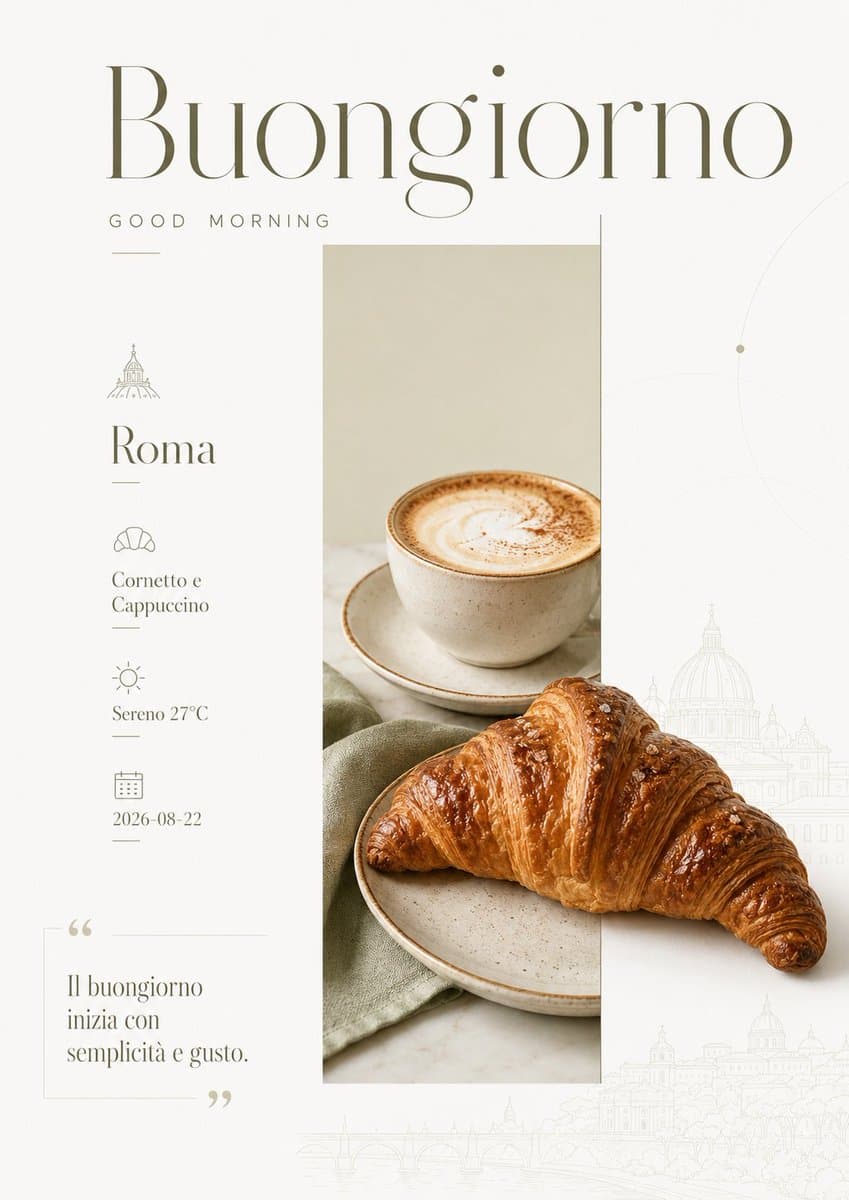
A creative prompt for generating city-themed morning posters with a fresh Japanese aesthetic, featuring culture-specific elements and a multi-grid layout for different hues.
Prompt
Theme: {argument name="City Characteristics" default="city-specific cultural elements"}+good morning greeting+{argument name="Date" default="2026-07-24"}+today's quote A total of {argument name="Number of Cities" default="10"} different cities, with each city as an independent beautiful image Japanese-style fresh, literary color palette Aspect ratio 16:9 For each image, use different color logic and compositional variation, so the hue feels distinctly different at a glance

Create a vertical e-commerce product poster for a sea salt caramel iced latte, presenting a crystal-clear icy aesthetic and eye-catching promotional typography.
Prompt
Goal: Create a premium vertical e-commerce beverage poster for an iced caramel sea-salt latte / dessert drink, with a cool crystalline summer aesthetic and bold Chinese typography. Canvas: Vertical 3:4 poster, high-resolution commercial product photography style. Use an icy pale-blue background with bright daylight, sparkling highlights, water droplets, and flying ice fragments. The composition should feel refreshing, cold, glossy, and high-end. Layout: Place the main product glass in the lower-right half, tilted slightly to the right and cropped close for impact. Surround it with large transparent blue ice cubes in the foreground and background, including exactly 5 prominent ice blocks: one large block at bottom left, one large block at bottom right, one medium block behind the cup on the right, one medium block behind the cup on the left, and one small floating cube near the left side. Add small ice shards and droplets scattered through the air. Reserve the upper-left area for typography. Add a black bottom footer bar occupying about 7% of the canvas height. Subject details: The drink is a clear cylindrical glass filled with dark coffee at the bottom, milk and cream swirling above, topped with thick white foam. Golden caramel sauce drips down the foam and glass. Add amber sugar crystals on top of the foam and around the ice; show exactly 9 clearly visible amber crystal chunks on the foam and rim area. The glass surface has condensation beads and cold mist. Use strong macro product lighting, crisp reflections, and shallow depth of field. Text content: At the very top-left, add a small thin white slogan: {argument name="top slogan" default="烘焙新品 清凉上新"}. Below it, create a huge bold block-style Chinese headline in two lines: first line in white, {argument name="main headline" default="海盐焦糖"}; second line in deep navy blue, {argument name="product name" default="拿铁"}. Under the headline, add a rounded blue gradient pill button with white text: {argument name="promotion text" default="限时尝鲜 第二杯半价"}. In the bottom black footer bar, center widely spaced white uppercase text: {argument name="brand text" default="BAKERY LAB"}. Typography style: Use heavy geometric sans-serif Chinese characters with a chunky, squared, slightly futuristic look. The headline should be very large, clean, tightly kerned, and slightly shadowed for separation. The promotional pill should have a glossy blue-to-cyan gradient and rounded corners. Visual style: Hyper-realistic commercial food photography mixed with graphic advertising design; icy crystal aesthetics, high contrast between deep coffee browns, caramel amber, bright whites, and cool blues. No watermark, no extra logos, no additional text beyond the specified four text areas.

Generate a refined portfolio overview page showcasing 9 diverse Chinese event poster designs covering commercial, cultural, and academic uses.
Prompt
Goal: Create a refined portfolio overview board showing exactly 9 original Chinese event poster designs for {argument name="portfolio theme" default="visual design works for cultural salons, business forums, and technology exhibitions"}. Canvas: Vertical 2:3 presentation page, warm off-white background, generous margins, soft shadows, museum-like editorial layout. At the top left place small English text “SELECTED WORKS / 2025”, a large Chinese title “视觉设计作品集”, and a smaller subtitle “活动视觉 · 文化内容 · 商业论坛 · 科技展会”. At the top right place small stacked English text “09 POSTERS” and “ONE VIEW”. At the bottom center place tiny caption text “PORTFOLIO OVERVIEW · ORIGINAL POSTER DESIGNS”. Layout: Arrange exactly 9 poster thumbnails in a clean masonry grid with rounded corners and subtle drop shadows. Each poster has a small numbered pill label from 01 to 09. Use varied poster sizes: one tall white poster at upper left, one beige portrait poster upper center, one dark cinematic portrait poster upper right, one tall dark business poster middle left, one blue-and-white culture poster middle center, one bright yellow-blue academic poster middle right, one wide futuristic poster lower left, one white typography poster lower center, and one wide beige-black lecture poster lower right. Poster count and details: 1. Poster 01: tall minimalist white invitation poster with abstract silk-like embossed waves, large vertical Chinese headline “静·观·之·境”, date “2025 06/21 SAT”, English word “INVITATION”, fine event schedule text, elegant monochrome typography. 2. Poster 02: tall dark navy business forum poster with three grayscale corporate speakers, cyan accent blocks, huge Chinese title “未来商业新格局”, a prominent cyan number “07”, date “06.28”, icons and agenda details, modern conference style. 3. Poster 03: wide horizontal future-tech poster with pale blue-white gradient background, luminous circular light trails, large gradient English word “FUTURE”, small Chinese business/technology text, clean futuristic exhibition aesthetic. 4. Poster 04: beige cultural interview poster featuring an elderly man with glasses reading a book, soft sunlight diagonal shadow, calm documentary photography style, Chinese title “文化人物访谈”, sparse editorial text. 5. Poster 05: blue-white poster with a classical statue head cropped on the right, neon yellow outline, bold Chinese quote text, quotation mark icon, signature-like script, small UI-like info chips and social icons along the bottom. 6. Poster 06: white literary salon poster dominated by oversized vertical black Chinese typography “书卷对谈与气阅读”, black-and-white photo of two people conversing at a table, date “06 22”, thin grid lines, QR code, refined book-club layout. 7. Poster 07: dark cinematic luxury poster with glowing horizontal light streaks, black-blue background, large Chinese title “无尽序章” over faint cursive English “Eternity”, date “06.28 SAT. 19:30”, elegant gold and white typography, star sparkle centered. 8. Poster 08: bright academic event poster with yellow and sky-blue abstract circular shapes, huge navy Chinese headline “青年学者跨学科分享会”, subtitle “开放·链接·共创未来”, date “2025 06.21”, speaker list with colored circular icons, QR code at bottom right, energetic innovation style. 9. Poster 09: wide beige and dark blue cultural lecture poster featuring an older man with glasses on the right, book/lecture editorial layout, yellow title block reading “独立之书 与公共生活”, date “6.15”, dense fine text and archival academic mood. Visual style: Premium Chinese graphic design portfolio, editorial Swiss-grid influence, high-end event poster aesthetics, crisp readable typography, realistic poster mockups, subtle paper grain, balanced negative space, soft ambient shadows, no visible browser UI or device frame. Constraints: Use exactly 9 distinct posters and keep the overview page title and numbering visible. The posters should look like finished professional designs, not rough sketches. Maintain Chinese typography as the dominant visual language while using small English supporting labels. Avoid watermarks, logos from real brands, or extra posters.

Generate a premium vertical speaker or industry commentary poster with a cinematic portrait, bold Chinese quote typography, and corporate red accents.
Prompt
Goal: Create a vertical Chinese business keynote quote poster featuring a serious industry expert portrait and bold editorial typography. Canvas: 2:3 vertical poster, dark premium corporate style, black-to-charcoal vignette background with a soft gray halo behind the subject, high contrast, cinematic lighting. Main subject: One centered East Asian male expert, about 35-45 years old, short black hair, round black eyeglasses, calm serious expression, looking directly at the viewer. He wears a black suit or dark blazer. Pose him leaning forward with both hands clasped under his chin, elbows implied below frame. Use realistic studio portrait photography, sharp facial detail, moody side lighting, shallow depth of field. Layout: The portrait fills the upper two thirds of the poster. Place the text block over the lower half, aligned left, leaving the face unobstructed. Use a large white quotation mark at the lower left above the headline. Add a thin vertical red line along the left side of the main text block and small red accent lines. Text content: Include exactly 1 oversized white opening quotation mark. Include exactly 2 small labels above the headline: a red rectangular label with white Chinese text “行业观察”, followed by a small gray label “专栏”. Include exactly 1 large bold white Chinese headline: “当增长放缓,真正的竞争才开始”. Under it, include exactly 3 insight bullet lines, each with a small white icon and red accent: 1) “需求进入存量时代,增长逻辑全面重构” with an upward chart icon, 2) “从规模扩张转向效率提升,组织能力是关键” with a person icon, 3) “技术与场景深度结合,构建可持续的竞争壁垒” with a target icon. At the bottom left, include exactly 1 author block: “张睿 资深行业分析师” and below it “专注产业研究与企业战略”. Typography and style: Heavy condensed sans-serif Chinese headline, bright white text with subtle shadow, clean smaller gray body text, red accents in a vivid corporate red. Overall mood should feel like a high-end conference speaker poster, business magazine cover, leadership profile, or industry commentary card. Customizable fields: Use {argument name="speaker name" default="张睿"}, {argument name="speaker title" default="资深行业分析师"}, {argument name="headline text" default="当增长放缓,真正的竞争才开始"}, {argument name="category label" default="行业观察"}, and {argument name="subtitle label" default="专栏"}. Constraints: Keep the poster dark, minimalist, and premium. Do not add logos, watermarks, QR codes, extra people, extra bullet points, or extra decorative elements. Ensure all Chinese text is legible and correctly placed.

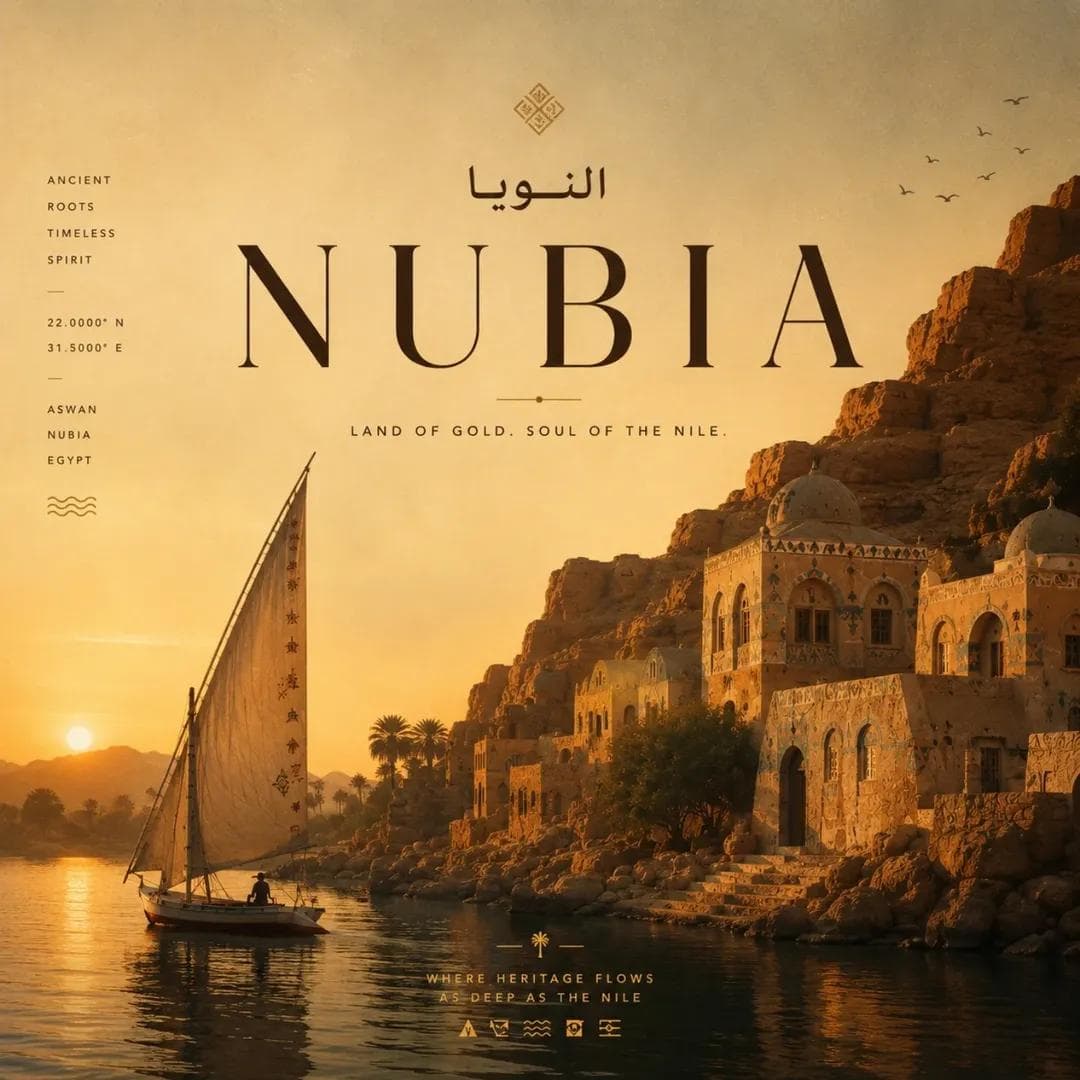
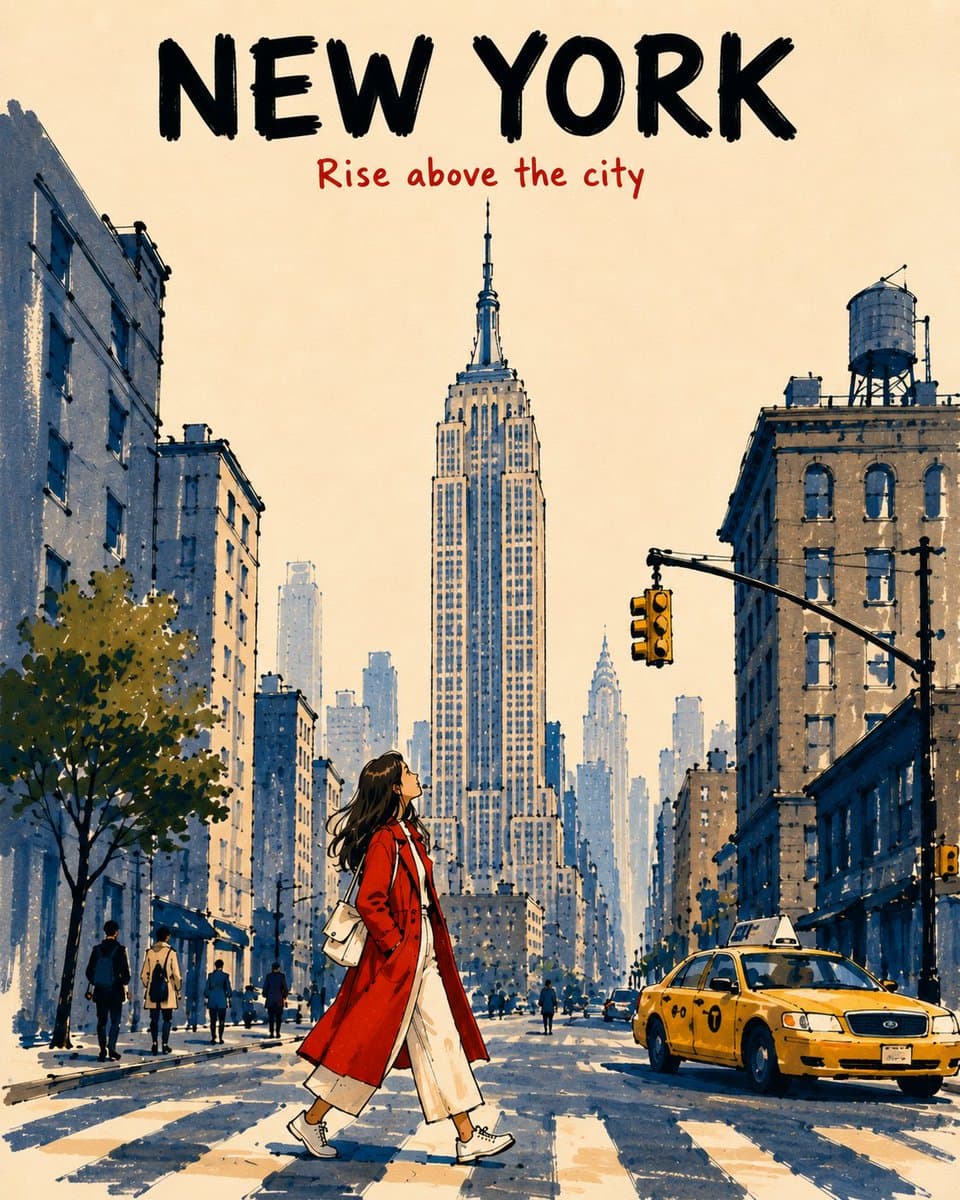
A six-panel editorial travel-poster system built from one prompt, with consistent typography, warm vintage color, landmarks, and modular city placeholders.
Prompt
Generate a retro travel poster collage style main visual for "[Country Name] TRAVEL POSTERS". Overall Layout: Antique beige paper background Large, bold country names at the top (e.g., JAPAN / ITALY / FRANCE) Central Subheading: “TRAVEL POSTERS FROM AROUND THE WORLD.” “CREATED ENTIRELY WITH CHATGPT USING JUST ONE PROMPT.” Bottom: 2x3 six-grid poster layout Each grid represents a different city/region Thin white borders between posters Overall resembling a high-end retro travel magazine cover + Midcentury travel poster design Visual Style: Scandinavian Travel Poster Midcentury Modern Vintage Editorial Design Retro Tourism Advertisement High-end minimalist typography Warm golden sunset lighting Antique printing texture Cinematic lighting No cartoonish feel High resolution Exquisite details Soft retro color tones (beige, caramel, amber gold, dark brown) Typography heavy design Cinematic composition Poster layout Aesthetic Each poster panel must include: City name in English (extra large font) Country name Small slogan Coordinate numbers Minimalist icon Representative local landmark Retro travel poster composition Please generate the following six city themes: 1. [City 1] — [Representative attractions/atmosphere] 2. [City 2] — [Representative attractions/atmosphere] 3. [City 3] — [Representative attractions/atmosphere] 4. [City 4] — [Representative attractions/atmosphere] 5. [City 5] — [Representative attractions/atmosphere] 6. [City 6] — [Representative attractions/atmosphere] All text must be in English. The overall style should resemble: highend vintage travel advertisement poster, editorial layout design, retro tourism campaign, luxury magazine aesthetic, warm cinematic sunset lighting, ultra detailed, 8k, clean typography, museum poster quality.

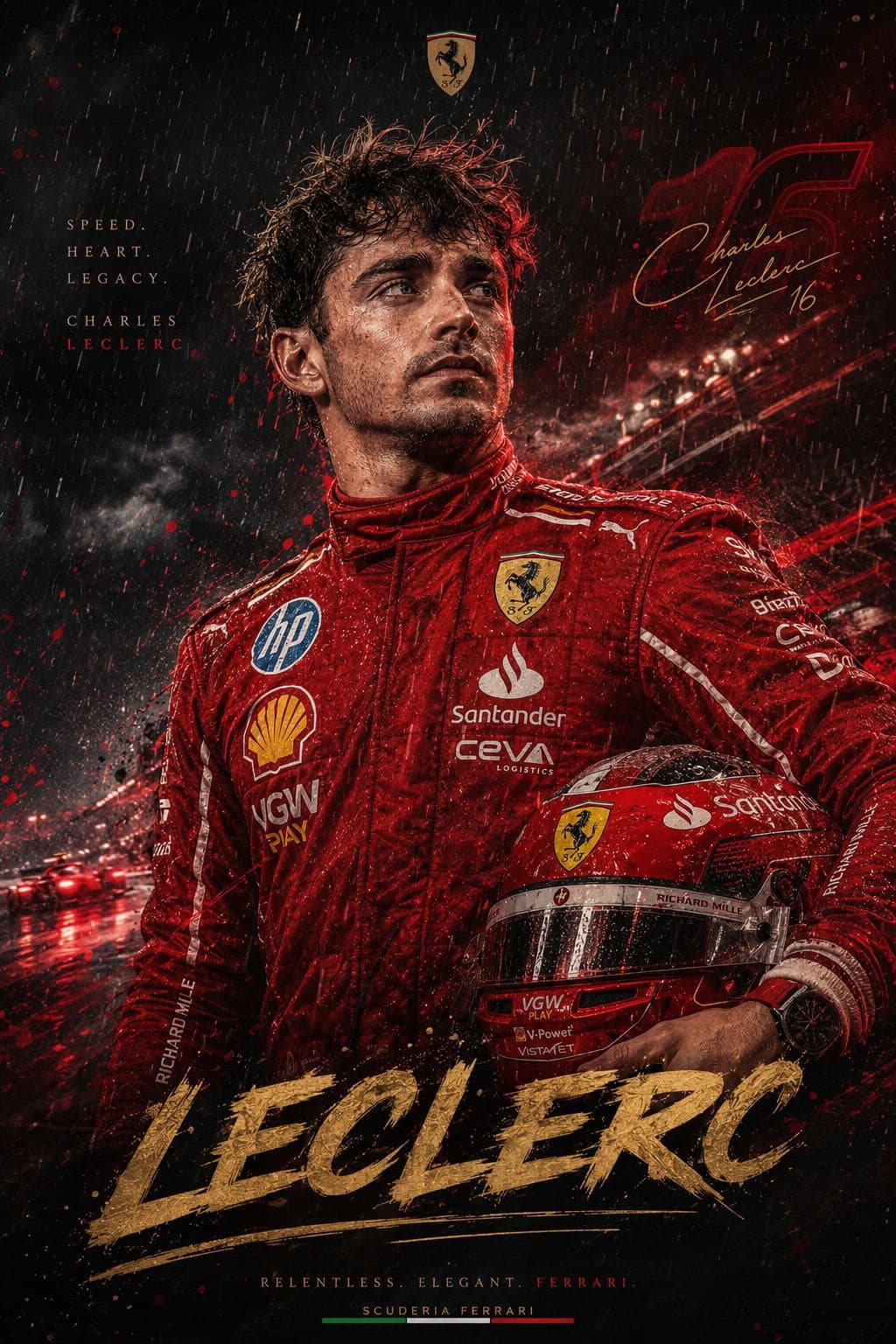
A reusable sports-poster prompt that combines an athlete portrait, ink sketch lines, watercolor splashes, team colors, and editorial typography.
Prompt
Create a hyper-detailed artistic sports poster in a sketch + watercolor splash style. Subject: [type here] wearing national team jersey ([number]), athletic build, sharp facial features, styled hair. Expression intense and focused, looking slightly upward or to the side. Pose & Composition: Half-body portrait (chest-up) Slight diagonal angle for dynamic motion One hand in action (grip / relaxed / flexed based on sport) Strong, confident posture Art Style: Hand-drawn ink sketch lines mixed with watercolor textures Paint splashes, ink drops, abstract brush strokes Rough, energetic strokes around body Realistic face detailing with slight gritty texture Background: Clean white background Abstract splashes based on team colors Balanced chaos, not too cluttered Typography Elements: Text: “[type here]” in bold handwritten style Jersey number “[number]” Motivational line: “[type here]” Small crown or graphic doodles Extra Details: Subtle gold accents Signature-style text at bottom: “[type here]” Light grunge texture overlay Mood: Powerful, iconic, poster-worthy.